
A Brisbane café owner checks the day's analytics between serving customers. A person clicked the Google Business Profile, opened the “breakfast catering” page, then disappeared without calling, submitting an enquiry or viewing another page. The report shows a high bounce rate, and the immediate worry is understandable: is the website failing?
That reaction is common, but the bounce rate meaning is more useful than a simple pass or fail label. The number can point to a mismatch between what a visitor expected and what the page delivered. It can also describe a visitor who found a phone number, opening hour or quick answer and had no reason to continue browsing.
For a small business working on Brisbane digital marketing, the practical question isn't “Is this number embarrassing?” It's “Which page, traffic source and customer action need attention?” That distinction prevents owners from spending a limited budget redesigning pages that are already doing their job.
A clear reading of analytics starts with the basic definition, then moves into how GA4 measures engagement. From there, page purpose and Australian benchmarks provide context, while simple checks reveal whether a service page, blog article or campaign landing page deserves a fix.
This guide treats bounce rate as one diagnostic clue among several. It doesn't replace enquiry tracking, phone clicks, bookings, form starts or sales. It helps identify where the customer journey may be losing momentum, particularly when search or advertising sends high-intent visitors to a page that doesn't answer their need quickly. Owners wanting to understand the wider role of search traffic can also review what organic traffic means.
Bounce Rate Meaning in Plain English
Think of a website as a shopfront on a busy Brisbane street. A passer-by enters, looks at one display and walks out without asking a question, picking up a product or moving into another area. The shopkeeper knows the person arrived and left, but doesn't automatically know why.
A website records a similar event as a single-page session with no further interaction. Australian guidance from Square's explanation of bounce rate describes a bounce as a visitor viewing one page and triggering no further Analytics event.
Bounce rate = bounce sessions divided by total sessions, multiplied by 100
If 48 sessions bounce out of 100 total sessions, the bounce rate is 48%, as shown in Square's Australian guidance. That calculation is easy to understand, but the interpretation requires more care. A person who leaves a blog article after finding a useful answer behaves differently from someone who abandons a quote page because the headline doesn't match the advert.
The metric also depends on the page's intended job. A contact page may give visitors a phone number, while a campaign landing page may ask for a form submission. Neither page necessarily needs to send someone through several menus. A broad service page, however, may need to encourage a visitor to request a quote, call the business or explore a related service.
Why a bounce isn't automatically bad
A bounce tells the business that the session didn't produce the recorded next action. It doesn't prove the visitor disliked the page, found the content useless or was poor-quality traffic.
A visitor searching for a suburb's service area may land on a location page, confirm that the business serves their suburb and leave to make a phone call. If the call isn't tracked, Analytics may record a bounce even though the page helped create a genuine lead.
That's why improving increase engagement and revenue should mean improving useful customer actions, not merely forcing visitors to click through more pages. Internal metrics such as click-through rate can add another layer of context, and owners can learn more through what CTR means.
How Bounce Rate Is Calculated and Measured in GA4
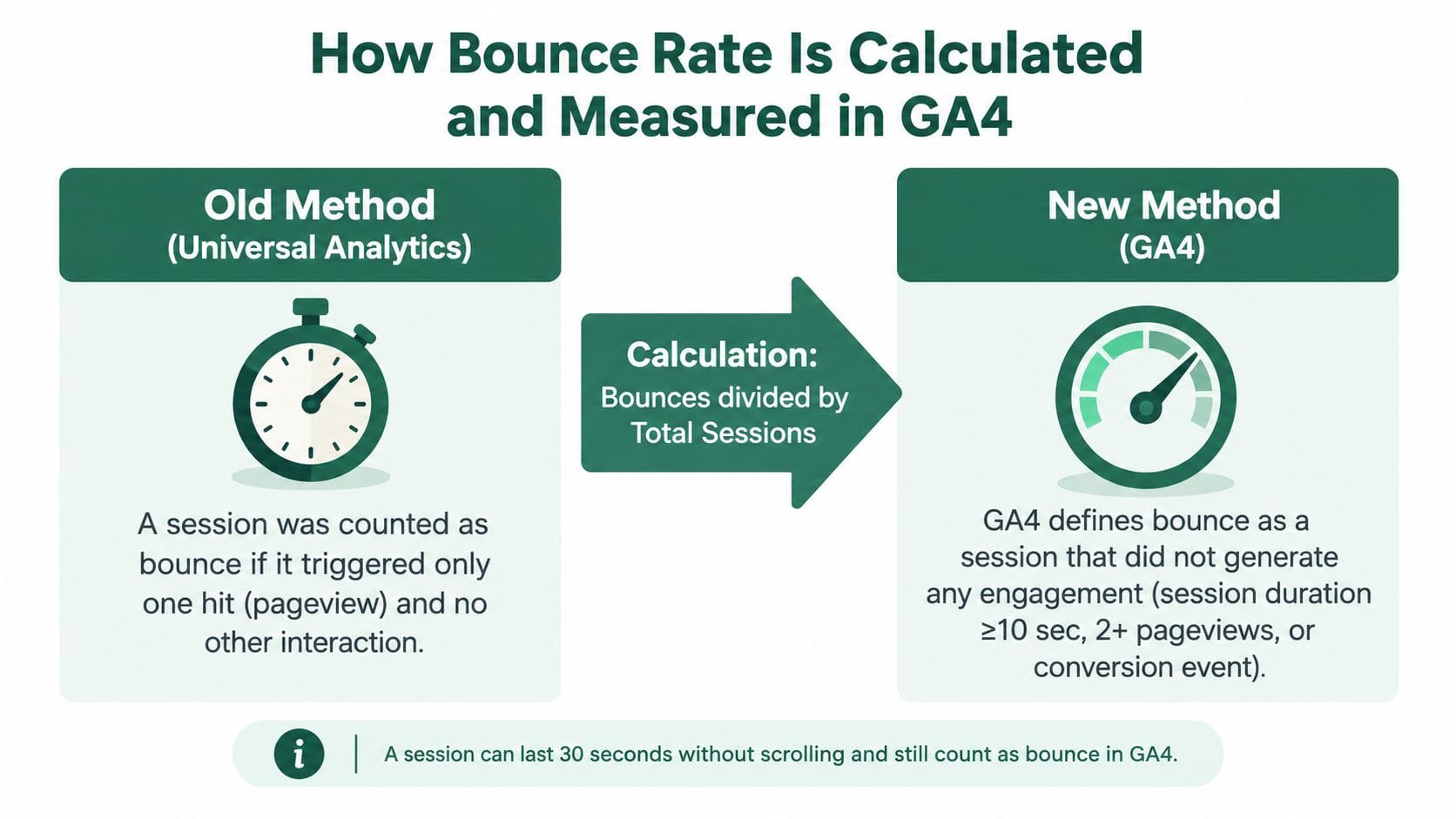
The arithmetic remains straightforward, but the definition changed between Universal Analytics and GA4. That difference explains why a business may compare an older report with a newer one and assume the website suddenly improved or deteriorated.
Under the older Universal Analytics model, a session generally counted as a bounce when it generated only one Analytics request, often one pageview, without another recorded interaction. The calculation focused heavily on whether the visitor produced a second measurable action.
GA4 uses a different lens. Google defines bounce rate as the percentage of sessions that weren't engaged, making it the inverse of engagement rate. A GA4 session counts as engaged when it lasts at least 10 seconds, includes two or more pageviews, or contains a conversion event, according to Google Analytics engagement guidance.
The practical difference for a local business
A visitor can arrive on a Brisbane electrician's service page, read the information, click a tracked phone number and leave. If the phone click is configured as a key event, that session can count as engaged even though the visitor didn't open another page.
A form submission can work in the same way. The visitor may read one page, complete the quote form and leave. Judging that visit only by page depth would miss the commercial outcome.
The reverse can also happen. A visitor may spend time reading but fail to meet GA4's engagement conditions if the session doesn't reach the time threshold, produce another pageview or trigger a conversion event. Tracking setup therefore shapes what the report can tell the owner.
Use the metric as a diagnosis
A high GA4 bounce rate on an SEO service page may indicate that the search query and page content don't align. The title could promise emergency plumbing while the page leads with a general company introduction. A paid advert could mention same-day availability, while the landing page makes that information difficult to find.
The useful response isn't to chase a lower number across the entire website. It's to compare the landing page, query, device, channel and recorded conversion event. If the page receives relevant visitors but produces few calls or forms, clearer messaging and a more visible next action deserve attention.
A low bounce rate isn't automatically proof of success either. Unnecessary clicks, confusing navigation or poorly configured events can make engagement appear stronger than the customer journey really is. A report becomes valuable when it connects sessions with actions that matter to the business.
When Bounce Rate Matters and When It Misleads
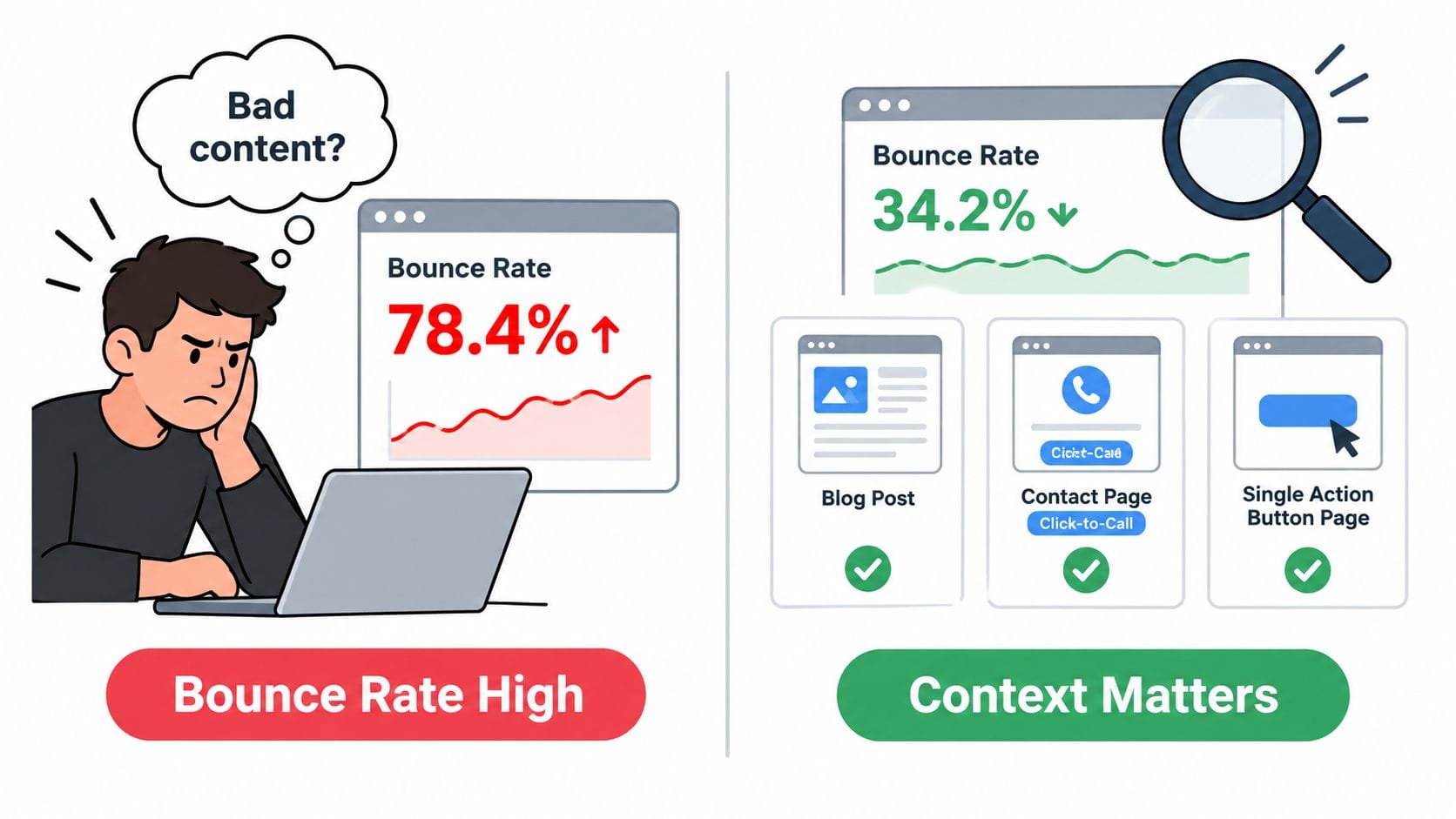
A high bounce rate can signal a problem, but the signal only makes sense beside the page's purpose. A blog article answering a narrow question may satisfy the visitor in one visit. A quote page intended to generate enquiries has a different job.
A useful comparison is a Brisbane café's opening-hours page and its catering page. The first may succeed when a visitor confirms the business opens early and leaves. The second usually needs to guide a visitor towards a menu, phone call, booking request or enquiry form.
Read the page before judging the number
Owners should ask four questions before changing a page:
- What did the visitor come to do? Find an answer, compare services, make contact or buy?
- What did the page promise? The search result, advert and headline should set compatible expectations.
- What action counts as success? A phone click, form completion, booking, sale or useful page visit may matter more than another pageview.
- Which visitors produced the result? Organic search, paid search, social traffic and returning visitors can behave differently.
A contact page with click-to-call tracking may have a high single-page exit rate while producing valuable leads. A long educational article may also have a high rate because visitors found the answer and didn't need another page. In both cases, page depth alone can mislead.
For a service page, concern grows when relevant search visitors arrive, fail to engage with the main offer and rarely trigger an enquiry action. That pattern points towards an intent mismatch, unclear wording, weak credibility or friction above the fold.
Owners considering the wider relationship between visits and business outcomes can use what conversion rate means to assess the action rate alongside bounce rate. The aim isn't to make every visitor explore the website. The aim is to make the intended next step obvious and easy.
What Is a Good Bounce Rate for Small Business Pages
There isn't one universal good bounce rate for every Brisbane website. Australian guidance from Square places eCommerce bounce rates in these broad bands: above 70% very high, 55% to 70% high, 40% to 55% average, and 25% to 40% optimal. Those bands are useful starting points, not promises that every business should reach one particular figure.
Other Australian marketing guidance describes 26% to 40% as a strong range in some contexts, while broader guidance treats 50% to 70% as often average, 70% to 80% as weak and above 80% as poor. The variation reinforces the main point: page type, audience and purpose matter.
Public-sector websites show how widely the metric can vary. In a 2026 Australian government-website ranking, my.gov.au recorded 18.57%, NSW Government pages recorded 44.69%, Services Australia recorded 56.65%, and fuelwatch.wa.gov.au recorded 92.85%, according to Australian digital marketing benchmark data. These figures span more than 74 percentage points, so copying one site's number would be a poor way to judge a local trade or professional-services website.
Bounce rate benchmarks by page purpose
| Page Type | Typical Bounce Range | How to Read It |
|---|---|---|
| Informational content | Often higher | A visitor may find a direct answer and leave. Review reading behaviour, related-page clicks and assisted enquiries rather than page depth alone. |
| Service page | Lower is generally more useful | Relevant visitors should usually find a clear reason to call, enquire or view a related service. A high rate deserves an intent and message check. |
| Campaign landing page | Context dependent | A single-action page may have few internal clicks by design. Compare the rate with form starts, completed forms, calls or other campaign actions. |
The decision matrix prevents a common mistake: treating the site-wide average as a business score. A broad informational page can lift the average while a high-intent service page loses potential customers.
Build a business-specific baseline
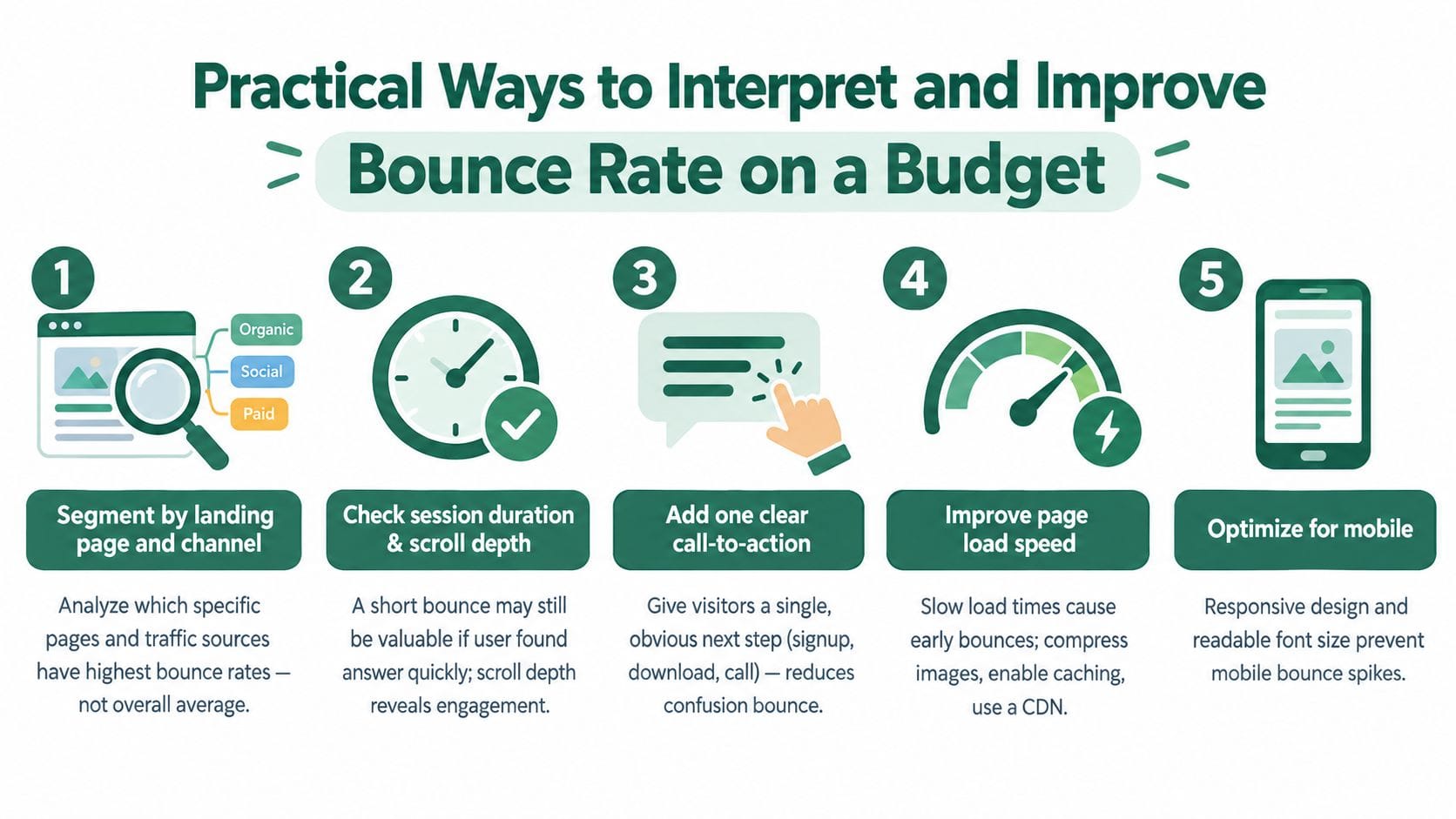
A small business can begin by grouping reports by landing page and channel. Compare organic visitors with paid-search visitors, then compare a plumbing service page with a general blog article. The most useful benchmark is often the page's own trend alongside its enquiries, not an industry number detached from the page's job.
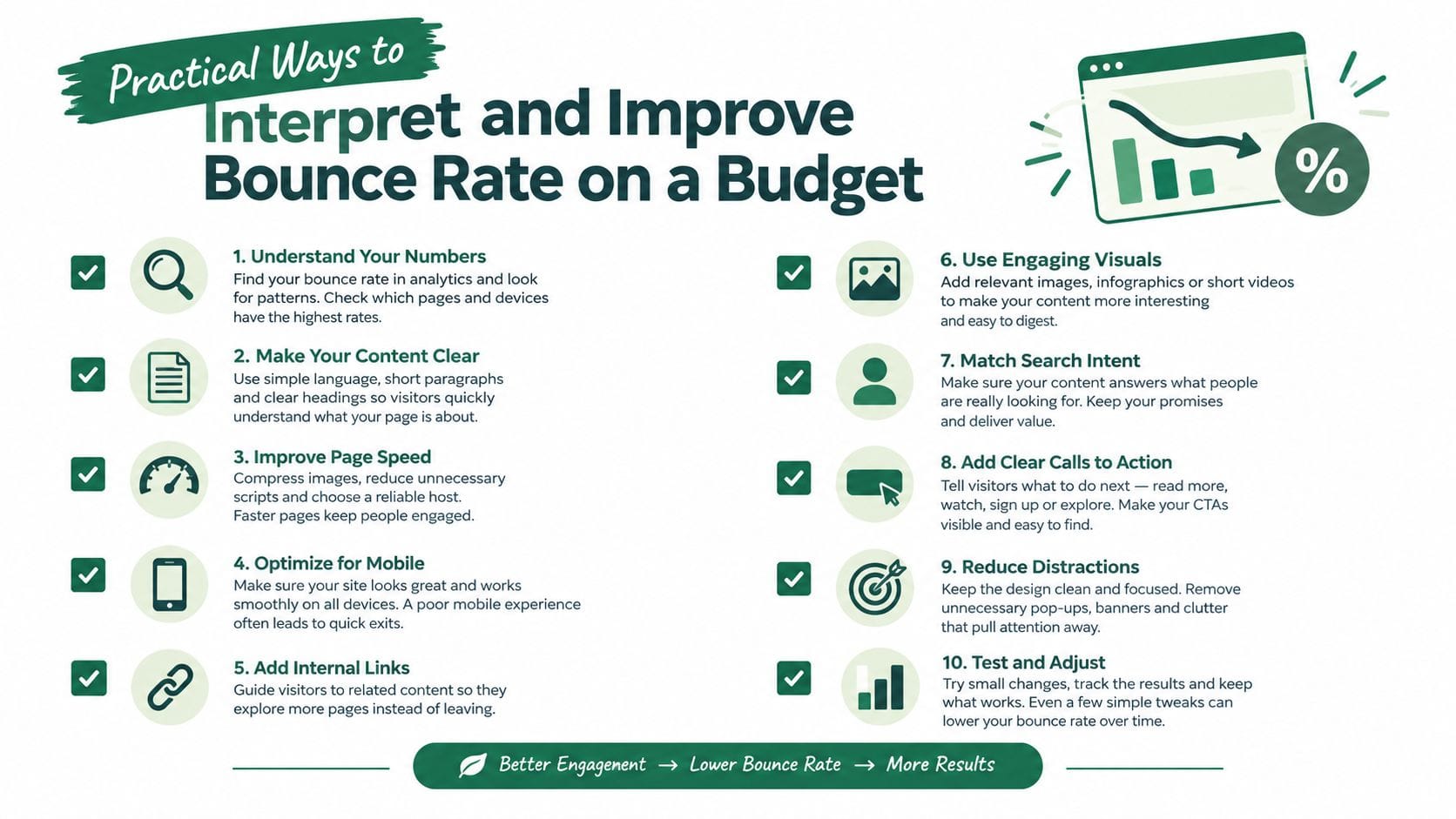
Practical Ways to Interpret and Improve Bounce Rate on a Budget
Small businesses don't need a complete website rebuild to investigate bounce rate. A focused review of the pages that receive search, advertising or referral traffic can reveal a practical first move.
Start with the landing page report, then separate traffic by channel. A Brisbane plumber might find that the emergency-services page receives relevant Google searches but the general blog attracts broad informational visits. Those pages shouldn't be judged by the same standard.
Check the first screen
The visible area above the fold should confirm three things quickly:
- Relevance: The headline should match the search query or advert.
- Credibility: The page should explain why the business is suitable, using clear service information rather than vague slogans.
- Direction: One obvious next action should invite a call, quote request, booking or relevant page visit.
A visitor searching for “blocked drain Brisbane” shouldn't land on a page where the first screen only introduces the company. The service, location and next step need to appear early.
Fix the cheapest friction first
Page speed, mobile readability and broken forms deserve attention before expensive design work. Compressing oversized images, removing unnecessary scripts and checking buttons on a phone can improve the path without changing the whole site.
Tracking also matters. A phone click, completed form, booking or quote request should be configured as a meaningful event where appropriate, so GA4 can distinguish a useful first-page visit from an unproductive exit.
For online shops, a focused guide to diagnosing Shopify bounce causes can help separate product-page friction from broader traffic issues. A similar principle applies to service businesses: inspect the exact page and source before changing every template.
The most time-efficient order is simple:
- Find high-intent pages: Start with pages linked from adverts, Google Business Profile listings or commercial search queries.
- Check message match: Compare the search phrase or advert with the page title, headline and offer.
- Test the action: Submit the form, tap the phone number and check the booking path on mobile.
- Review the evidence: Compare bounce rate with calls, forms, bookings, scroll behaviour and relevant page visits.
- Change one element: Improve the headline or call to action before making several changes at once.
A well-structured landing page makes this process easier because the page has a defined audience, promise and action. Owners can test one change, observe the relevant events and decide whether further work is justified.
Next Steps and How Boocoo Can Help in Brisbane
Bounce rate becomes useful when it helps an owner choose the next practical action. This week's review can stay small:
- Select key pages: Check the service, contact and campaign pages that receive the most valuable visits.
- Separate traffic: Compare organic search, paid search, social and referral visitors instead of relying on one site-wide figure.
- Verify actions: Test phone clicks, forms, bookings and quote requests so GA4 records meaningful outcomes.
- Check the first screen: Confirm that the page matches the visitor's query and presents one clear next step.
- Record the context: Note page purpose, channel and conversion results before deciding whether a bounce rate is concerning.
The central lesson behind bounce rate meaning is that a high figure isn't automatically failure. It may reveal an intent mismatch on a high-value service page, or it may describe a visitor who found a quick answer. Honest reporting matters too. The ACCC says Australian businesses must be able to substantiate claims they make or advertise, including claims shared on social media, as explained in its advertising and selling guidance.
Brisbane owners who want help connecting SEO, page experience and enquiry tracking can discuss the options with Boocoo, a local digital agency offering SEO, web design, social media management and paid advertising support. Its conversion rate optimisation services can form part of a broader review focused on useful customer actions rather than vanity metrics.