
If Google Ads is bringing in enquiries but the work is still slipping through the cracks, the problem usually isn't the ads. It's what happens after the click. A Brisbane business can have calls, forms, and inbox leads all day long, then still struggle to tell which ad turned into booked work, paid invoices, or repeat customers.
That's where Google Ads CRM integration earns its keep. It connects the front end of advertising with the back end of sales, so the team isn't just counting leads, it's tracking which leads mattered. For any owner juggling marketing, quoting, and follow-up, that shift changes the whole conversation around budget, speed, and growth.
Why Google Ads and CRM Integration Matters
A Brisbane plumbing firm can run two campaigns and get 40 form fills from one, 12 from the other, then find that the smaller campaign produces the quoted jobs. That is the commercial value of Google Ads CRM integration, it shows which leads turn into revenue, not just which ones filled in a form.
A CRM connection gives the business a way to push lead outcomes back into Google Ads, so reporting moves past enquiry counts and into qualified and won stages. That matters when a team is paying for clicks, chasing quotes, and trying to decide which campaign deserves more budget.
Google's AU help documentation shows that lead form ads can connect with a CRM through webhook integration or the Google Ads API, and that lead data can also flow via Zapier into CRM systems, while Data Manager supports direct connections to platforms such as HubSpot and Zoho CRM for Customer Match and offline conversion imports Google Ads AU help. That makes Google Ads CRM integration part of a practical measurement stack for accounts that want to optimise for outcomes, not just enquiries.
A form fill is a signal, not a sale. A phone call is a stronger signal, but it still does not prove the job was won.
The useful move is to map CRM stages properly, then send qualified or closed-won conversions back to Google Ads so Smart Bidding learns from actual business value. If the CRM is not set up cleanly, the ad account keeps learning from raw leads and can spend into noise.
Practical rule: If an enquiry never becomes a real sales opportunity, it should not be treated as a conversion worth optimising for.
For a plain-language explanation of what a CRM does in practice, the internal guide on what a CRM system is is a useful companion read, and Crescade's overview of CRM marketing integration gives a helpful broader frame for how marketing and sales data connect.
How Data Flows from Click to Customer
Think of the system like a relay race, not a single sprint. Google Ads starts the race by capturing the click, the CRM carries the baton through follow-up and qualification, and the reporting loop only closes when the sale outcome comes back into the ad account. If that final handoff is missing, the team can see who showed interest, but not who became profitable work.
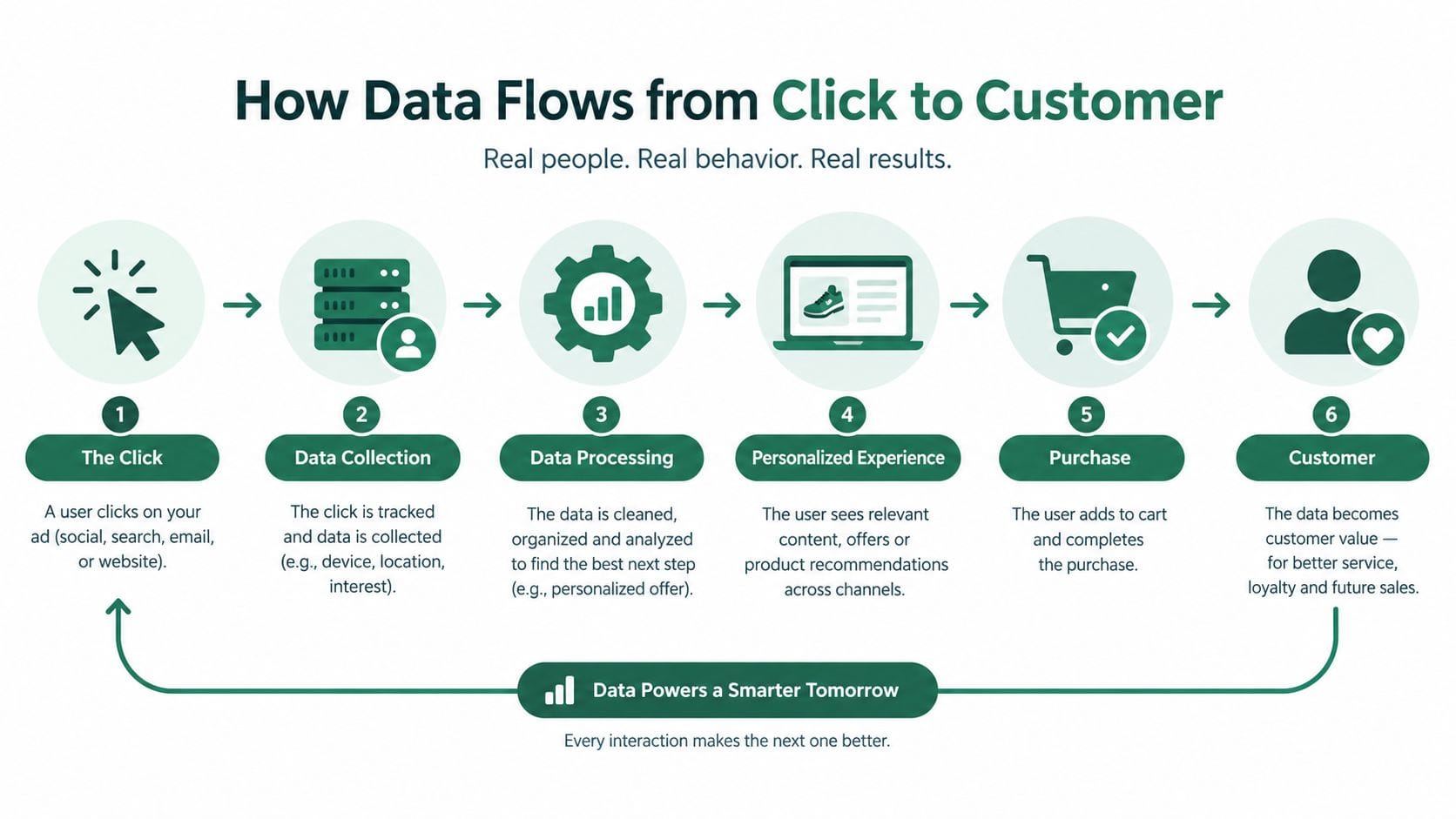
A typical flow looks like this in practice:
- A prospect clicks a search ad.
- The landing page or lead form captures the enquiry.
- The CRM stores the lead with source details.
- Sales follows up by email, phone, or SMS.
- The lead becomes qualified, quoted, or won.
- That outcome is sent back to Google Ads as a conversion event.
The important detail is that each step adds meaning. Without the CRM, the ad platform only knows that someone filled in a form. With the CRM, the business can separate tyre-kickers from real prospects and keep the advertising system learning from the right stage.
The internal guide on conversion rate helps frame this properly, because the conversion that matters isn't always the first one. A plumbing lead might fill out a form on Monday, take a call on Tuesday, then book a job on Thursday. That journey needs to stay intact if the business wants to judge performance accurately.
What changes once the data loop is complete
Once the CRM and Google Ads are talking to each other, reporting becomes less fuzzy. The owner can see which campaigns create booked jobs, which ones only create enquiries, and which keywords attract people who never move forward. That's a much better basis for budget decisions than raw lead volume.
It also improves follow-up discipline. When the same system captures source, stage, and outcome, the team can spot delays in response time and weak lead handling before the budget gets wasted on more of the same.
Choosing the Right Integration Method
There isn't one perfect way to connect the systems. The right choice depends on budget, traffic volume, and how much admin the business can realistically absorb. A solo operator who needs a simple flow will usually choose differently from an agency managing several client accounts or a service business with a more complex sales pipeline.
The clearest rule is simple, start with the lightest method that still protects data quality. If the workflow needs only basic lead capture and quick syncing, a no-code route can be enough. If the business needs stronger matching, stage-based reporting, or deeper control over what comes back into Google Ads, a direct API path or a structured Data Manager setup becomes more useful.
The right integration partner can also save a lot of trial and error, which is where resources like top CRM Google Ads partners become helpful for shortlisting. For businesses wanting the broader strategic side of paid search management, the internal guide on Google Ads consulting is a practical companion.
| Integration Method | Setup Difficulty | Best For |
|---|---|---|
| Zapier | Low to moderate | Smaller teams that want fast syncing without development work |
| Direct API | Higher | Businesses that need tighter control and custom lead-stage logic |
| Manual Upload / Data Manager | Moderate | Teams that want cleaner offline conversion imports and a more stable long-term setup |
Picking the method that fits the business
Zapier suits owners who want speed and simplicity. It can move lead data into a CRM and onward into Google Ads without custom development, which is useful when time is tighter than budget. The downside is that the setup still depends on clean naming and consistent stages inside the CRM, or the automation starts to wobble.
Direct API connections make sense when the business needs more control over the fields, stages, and timing of the data push. That is where hashed identifiers, conversion time, and conversion value become more relevant, especially for businesses that want to optimise toward qualified outcomes rather than volume.
Manual upload, or a Data Manager-based flow, is often the calmest option for teams that care more about accuracy than instant automation. It takes more discipline, but it can be a better fit when the business wants to avoid over-engineering the stack before there's enough conversion data to support it.
Practical rule: If the CRM stages are still messy, do not start with the most advanced integration. Fix the workflow first, then automate it.
Tracking Offline Conversions Accurately
Offline conversion tracking is where Google Ads CRM integration starts to affect revenue, not just reporting. The ad account can only optimise for what it can measure, so if the business never sends back qualified or closed-won outcomes, the algorithm keeps learning from a shallow signal. That usually means it gets better at generating enquiries, not necessarily better at generating work.
For a lot of Brisbane service businesses, phone calls matter as much as form fills. Google forwarding numbers are available in Australia, which lets inbound calls be tied back to source, campaign, and keyword before the outcome is pushed into the CRM Google forwarding numbers for calls. That matters because a trade or professional service can win work over the phone even when the lead never completes a web form.
Form leads and phone leads need different handling
A form lead is easier to capture, but a phone lead often signals stronger intent. If both are treated the same, the reports blur together and the campaign budget starts drifting toward whichever source creates the most visible activity rather than the most valuable work. A cleaner approach is to log both in the CRM, then only import the stage that reflects business value.
A lead is not a conversion target just because it was easy to record.
Google's enhanced-conversions-for-leads workflow is built to match downstream outcomes back to ad interactions using hashed first-party identifiers, conversion time, conversion value, and the conversion action. Australian implementation guidance also notes that offline conversion uploads and enhanced-conversions-for-leads uploads moved to the Data Manager API as of mid-2026, which changes how long-term setups should be maintained enhanced conversions for leads guidance.
That means the CRM needs structure. A lead should only become an imported conversion when it reaches an approved stage such as booked, qualified, or won. Otherwise, Smart Bidding can end up chasing low-value enquiries instead of real revenue.
A useful way to think about it is this, the ad platform is the front counter, and the CRM is the job sheet. If the job sheet stays blank, the system can't learn what a good customer looks like. For teams that already run PPC and want the reporting side tightened up, the internal guide on PPC ads management is a sensible follow-up.
Setting Up Your Data Manager
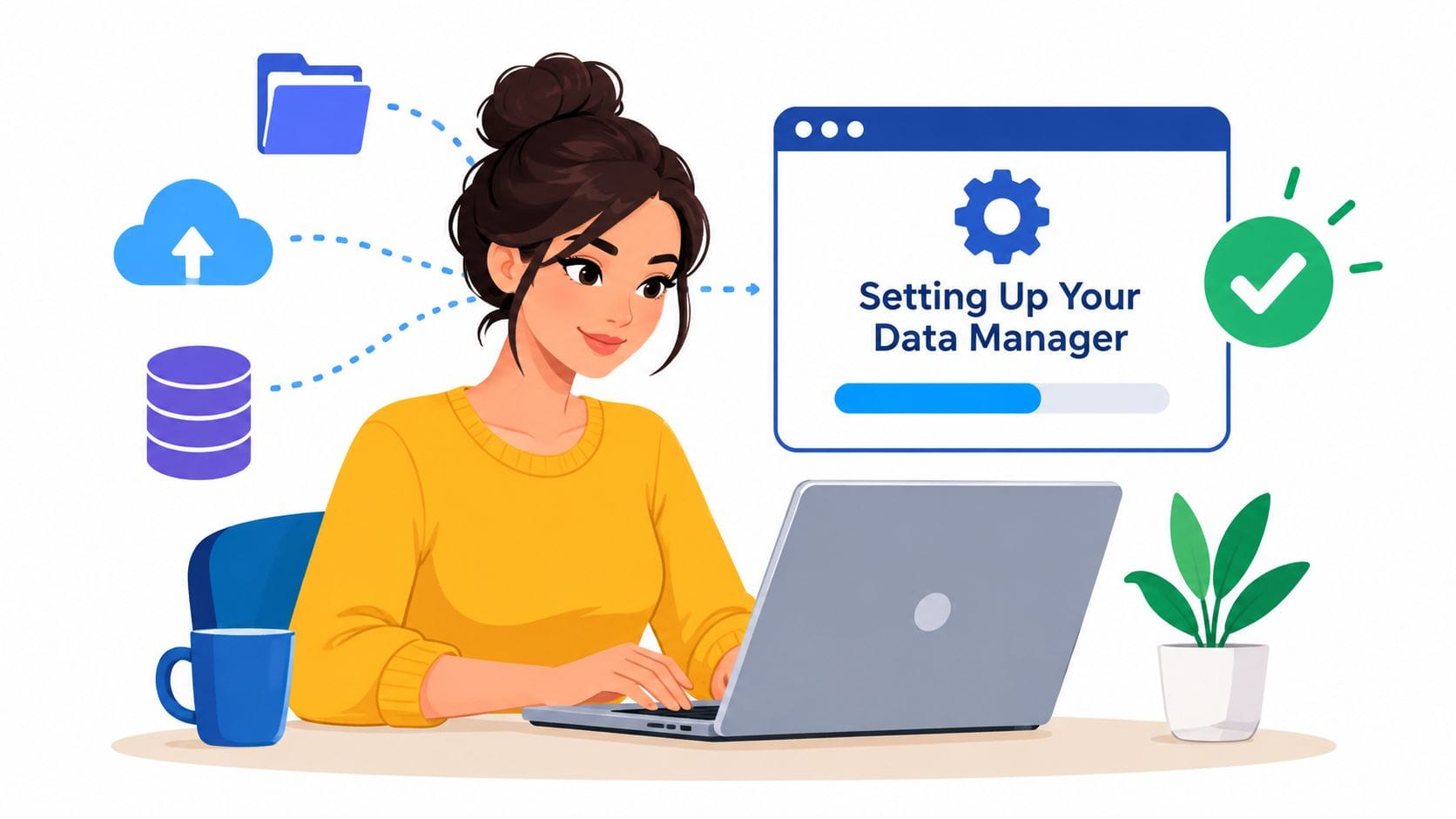
Data Manager is where the setup stops being a one-off upload and becomes part of the account's measurement structure. Google's help pages say existing offline conversion imports can be upgraded through Data Manager, and that Google recommends the Data Manager API for current and future offline conversions and enhanced conversions for leads uploads Google Ads Data Manager. For a small business, that usually means less manual admin and fewer missed conversions over time.
The practical setup order
Start with the CRM stage names. If one person marks a lead as “qualified” and another writes “ready to quote”, the import logic becomes harder to trust. Google's CRM import guidance also makes clear that the conversion action name, CRM object, and event name need to line up, so standardisation comes before automation Google import from CRM setup.
A simple setup order works best.
- Define the stage names first. Keep them short, consistent, and tied to sales outcomes.
- Map each stage to a conversion action. Use names that the whole team recognises.
- Connect the CRM, file, or app through Data Manager. Choose the route that matches the business's current setup.
- Test the flow with one lead type. Confirm that the right record moves at the right time.
- Expand only after the first import is clean. That avoids a tangle of broken events.
In Data Manager, create one conversion action per CRM stage, such as Qualified, Booked, or Won. Map the CRM object field to the Google Ads conversion name before testing with a single lead type. That is the part many businesses skip, then wonder why the imported revenue does not match the sales pipeline.
Data Manager can connect directly to major CRM platforms for Customer Match and offline imports, which makes it practical for businesses that want a steadier setup without building everything from scratch.
The main value here is clarity. A tidy Data Manager setup gives the business a repeatable path from lead to revenue, and that is easier to maintain than a pile of disconnected spreadsheets.
Common Pitfalls and Pro Tips
The most common mistake is trying to sync everything at once. That usually creates noise, extra admin, and no clearer view of revenue. A better approach is to start with the one or two lead stages that reflect business value, then expand only after the team trusts the data.
Another trap is ignoring call tracking because forms feel easier to manage. For service businesses, that leaves a blind spot in the exact channel that often produces the best leads. The internal guide on Quality Score is relevant here because clean tracking and relevant intent signals tend to improve how tightly campaigns are managed, even if the final bidding outcome is still driven by the CRM.
What usually goes wrong
- Too many stages too soon. More fields do not automatically mean better insight.
- Loose naming conventions. One team's “won” is another team's “completed”, and the integration gets muddy.
- No call capture. High-intent phone leads disappear from the report.
- Premature automation. Smart Bidding cannot learn properly from messy inputs.
- Ignoring the sales cycle. Some businesses need a longer qualification window before a conversion should be counted.
The other issue is overbuying sophistication before the business has the volume to use it. Australian benchmarking commentary suggests attribution leakage can be material across paid channels, which is another reason to focus on data quality and offline revenue capture before chasing every advanced feature Australian benchmarking discussion. For smaller Brisbane operators, simple often beats clever.
Boocoo is one option for businesses that want lead capture forms connected to CRM workflows as part of a broader website and ads setup. That sort of connection only works well when the naming, stages, and follow-up process are already tidy.
Keep the setup boring at the start. Boring is easier to measure, easier to fix, and usually better for the bank balance.