
A Brisbane tradie posts a finished-job photo on Friday night, then disappears from Facebook while quotes, site work and supplier calls pile up. A few weeks later, another photo goes up with an apology for being quiet. There's nothing wrong with the work. There just isn't a workable publishing system.
Most small business owners aren't short of ideas. They're short of uninterrupted time, and social media becomes another unfinished task after dinner. The answer isn't necessarily more posts, better equipment or a paid subscription. It's a manageable routine that connects useful content with customer enquiries.
Australia had 20.9 million active social media user identities in January 2025, according to DataReportal's Digital 2025 Australia report. That's a substantial audience, but it isn't a reason for a local operator to maintain every platform.
The social media management best practices below suit businesses juggling customers, limited budgets and actual service delivery. For broader workflow ideas, revid.ai's social media management guide is a useful companion. Each practice offers a small starting task, a local example and a free-tool option. Suggested time blocks are planning allowances, not promises about how long every business will take.
1. Set Clear Goals Tied to Business Outcomes
Start with the work the business needs, not the attention a post might attract. A full appointment book, suitable quote requests and repeat purchases are more useful targets than a growing follower count.
Goals work like a GPS destination. Without a destination, a business can keep publishing without getting closer to paid work. A practical digital marketing strategy connects the customer, the offer and the next action before anyone starts designing posts.
Make the goal easy to track
Say a Sunnybank plumber wants more booked maintenance call-outs from Facebook. The owner could use a dedicated enquiry form and record whether each enquiry becomes a booking, rather than counting every message as a lead.
A New Farm boutique might instead promote a particular collection through Instagram Stories and use a campaign-specific discount code. That separates purchases associated with the promotion from general shop activity.
- Choose a main outcome. Start with bookings, qualified enquiries or purchases, rather than several competing targets.
- Record a baseline. A free Google Sheet can hold the enquiry source, requested service and booking result.
- Check lead quality. Requests outside the service area shouldn't count as success just because someone sent a message.
- Keep the next step clear. Each relevant post should direct customers towards a booking page, enquiry form or phone call.
Allow about 20 minutes this week to write the goal and create the tracking sheet. Effective Brisbane digital marketing starts with that commercial focus, not a busier feed.

2. Plan Ahead with a Content Calendar and Batch Your Work
A Paddington café doesn't need a fresh creative session every morning. The owner can collect specials, staff introductions and common customer questions in a shared Google Sheet, then prepare captions together.
A content calendar is a posting schedule. It records the topic, platform, image, publication date and customer action. Batching means preparing related tasks together, much like meal prep: the chopping happens once instead of before every dinner.
For a Logan gardening contractor, that might mean sorting project photos after invoicing, writing the accompanying explanations and placing approved posts into a calendar. The photos should explain the problem solved, not just show an attractive garden.
Build around work already happening
Reserve a 90-minute planning block as a starting allowance. Keep it realistic by using material already available rather than organising a separate shoot.
- Use free planning tools. Google Sheets suits a straightforward calendar; Trello suits owners who prefer moving cards between draft, approved and scheduled.
- Collect recurring questions. Pricing boundaries, preparation instructions and service availability make useful topics.
- Add local context. Brisbane Festival, school holidays and neighbourhood markets belong in the calendar only when they affect customers.
- Keep spare material. Store evergreen tips separately so an unexpected busy week doesn't stop publishing.
Guidance on how to turn rough ideas into platform-ready assets can help with presentation. Generated artwork, however, shouldn't stand in for genuine project photos or imply work the business hasn't completed.

3. Repurpose One Piece of Content Across Multiple Platforms
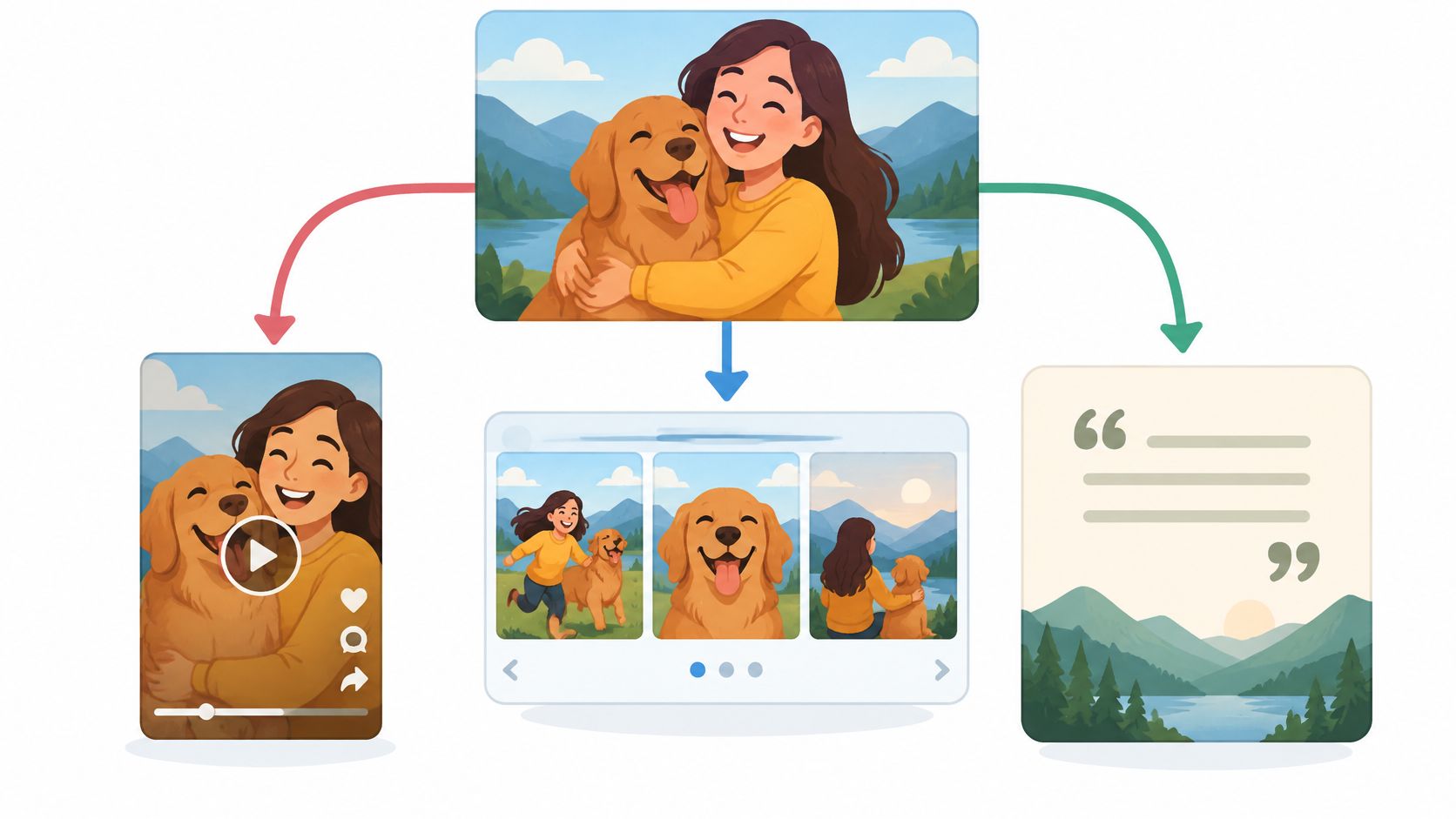
Repurpose the idea, not just the file. Copying the same caption everywhere saves effort, but it can leave a useful explanation awkwardly matched to the platform.
Repurposing works like a roast chicken becoming dinner, sandwiches and soup. The original material stays useful, while the presentation changes for each occasion.
Say a Toowong accountant records a short explanation of what clients should prepare before an appointment. The complete explanation could suit LinkedIn, while a focused extract becomes an Instagram Reel and the main points become a Facebook post.
Practical rule: Each version should make sense without requiring the audience to find the original.
Adapt before publishing
A Fortitude Valley salon could turn a client transformation into a before-and-after carousel, a Story and a Google Business Profile update. Permission should cover the intended uses, and the business should avoid showing private booking details in the footage.
Allow about 45 minutes for a first repurposing session, using an existing photo set or recording.
- Film vertically for short clips. Keep important details away from screen edges where interface buttons may obscure them.
- Use free editing options. CapCut and Canva can handle basic cuts, captions and resizing, subject to their current feature limits.
- Rewrite the opening. A professional explanation on LinkedIn may need a more immediate visual introduction on Instagram.
- Check the action. Each platform needs an appropriate booking instruction or destination.
Original footage is usually more useful than elaborate transitions. Clear sound, readable captions and an actual customer question deserve attention before effects.
4. Choose the Right Platforms for Your Local Customers
There's no prize for maintaining an account nobody can properly manage. Choosing a platform is like choosing a market stall location: customer fit matters more than how fashionable the address sounds.
A Redcliffe dog groomer could test Facebook for local updates and Instagram for grooming transformations. A Brisbane CBD accounting firm might prioritise LinkedIn for professional explanations and Google Business Profile for local search discovery, leaving TikTok alone.
The choice should reflect capacity as well as audience. CPA Australia's small-business survey identifies Australian small businesses as the least likely across the surveyed Asia-Pacific markets to use social media for business purposes. Generic advice to publish everywhere isn't a sensible substitute for a sustainable workload.
Choose a minimum viable presence
Set aside about 30 minutes to review recent enquiries and ask customers which platforms they use when checking a business.
- Pick a primary channel. Choose somewhere the business can publish useful material and answer enquiries reliably.
- Keep a secondary channel optional. Add it when existing content can be adapted without stretching customer service.
- Maintain local search basics. Google Business Profile isn't a conventional social network, but its free listing deserves attention.
- Review the trade-off. Content production shouldn't displace quoting, customer follow-up or website improvements.
Sometimes the right decision is a complete, clearly labelled profile with limited publishing. An owner who can maintain accurate details and respond reliably may be better served than one chasing an ambitious schedule across neglected accounts.
5. Respond Quickly to Comments, Messages, and Reviews
An unanswered Instagram enquiry is much like a customer left standing at a shop counter. Posting attracts attention, but someone still needs to help the person who arrives.
Assign responsibility for replies. If the owner is on site, another authorised person should know which questions can be answered and which need escalation. A sensible lead nurturing strategy also records the next step so promising enquiries don't disappear in the inbox.
Say a Woolloongabba bakery receives questions about gluten-free options. Saved replies can explain available products and ordering arrangements, but staff should verify ingredients and avoid unsupported assurances about cross-contact.
Be helpful without exposing private details
A Chermside physiotherapist responding to a review should keep the acknowledgement general. Public replies shouldn't confirm treatment details or reveal information the reviewer hasn't chosen to share.
PwC's Australian Voice of the Consumer findings report that 62% of Australian consumers say social media advertising influences their spending. Persuasion still needs credible, useful communication after the click.
- Reserve reply time. Try 10-minute inbox checks at the beginning and end of the working day.
- Set expectations. An automatic acknowledgement should state business hours without pretending to resolve the enquiry.
- Handle complaints calmly. Acknowledge the issue publicly, then move personal details into an appropriate private channel.
A saved reply should shorten the typing, not remove the human judgement.
Advice to increase engagement on short-form videos can support conversations. It shouldn't distract from answering genuine purchase questions first.
6. Use Free or Low-Cost Scheduling Tools to Save Time
An Ipswich electrician can prepare Facebook and Instagram posts before the working week instead of interrupting a job to publish them. Meta Business Suite is a free starting option for scheduling supported content across those accounts.
Scheduling resembles setting a slow cooker timer. Preparation happens earlier, but someone still needs to check that everything is appropriate when it's ready.
A Newstead interior designer considering Later should compare its current plan limits with the features needed. A visual planning feature isn't worth paying for if the main requirement is publishing approved photos.
Automate publishing, not responsibility
Allow about 30 minutes for an initial scheduling test. Start with approved material and preview how images, captions and links appear.
- Check the queue weekly. Remove expired offers, incorrect availability and content that no longer suits current events.
- Use account insights. Test publication times against the business's own audience activity rather than generic best-time advice.
- Keep a live check-in. Scheduled publishing doesn't answer messages or identify a broken booking link.
- Protect access. Enable multi-factor authentication, use individual access permissions and remove departing contractors promptly.
The auDA Digital Lives of Australians report found that 81% of small businesses consider cybersecurity skills at least somewhat important now or in the future. Account ownership belongs with the business, including recovery contacts and access records.
A scheduling subscription won't fix unclear goals or weak content. The free native tool is often the right place to establish a reliable routine before buying extra features.
7. Optimise Your Profiles for Local Search and SEO
A profile should explain the service, location and next step at a glance. It's a shop sign, not a guessing game.
A Carindale hairdresser could describe the core services and suburb in the Instagram bio, then link directly to bookings. A Springwood plumber could make service areas, opening hours and contact details clear on Google Business Profile.
Good business listing management keeps those details aligned across public profiles. This supports a clearer customer journey, but posting on social media isn't a guaranteed way to improve Google rankings.
Remove friction before adding keywords
Budget about 30 minutes for a profile tidy-up. A phone, the free Google Business Profile manager and a shared document of approved business details are enough to begin.
- Describe the actual service. Use terms customers recognise, such as blocked drains or bookkeeping, instead of vague claims about solutions.
- Name the service area. Include relevant suburbs without stuffing a description with locations the business doesn't serve.
- Test every destination. Booking buttons and website links should lead to working, mobile-friendly pages.
- Show genuine work. Add clear photos of the team, premises or completed projects, with appropriate permission.
Accuracy matters more than keyword repetition. The ACCC's social media promotions guidance explains that Australian Consumer Law applies to business social posts, paid advertising and incentivised influencer promotions, and requires truthful, substantiated claims.
That includes profile promises about availability, prices and performance. A business shouldn't advertise immediate service if customers routinely need to wait, or leave an expired offer pinned above current information.
8. Turn Customers and Community into Content
A Coorparoo coffee shop could invite customers to tag their morning coffee photos, then ask permission to feature selected images. A Bulimba florist could collaborate with a nearby wedding venue on a helpful planning post.
Customer-created content is public word of mouth. It can show how people use a product or experience a service without requiring the owner to produce every image.
Staff can contribute too. A structured approach to employee-generated content helps turn everyday knowledge into useful explanations while keeping approval and consent clear.
Make participation easy and voluntary
Allow about 20 minutes this week to prepare a permission message and contact a suitable local collaborator. Free tools such as Google Drive and Canva can organise approved images and simple layouts.
- Ask before reposting. A tag isn't a substitute for permission to reuse a customer's image across marketing channels.
- Offer a specific idea. A florist and venue could explain flower delivery logistics instead of merely exchanging promotional posts.
- Keep reviews honest. Request genuine feedback without writing the review for the customer.
- Record permission. Save the approval beside the asset so future staff know where it can be used.
The Office of the Australian Information Commissioner's marketing guidance says covered organisations must allow people to opt out of direct marketing. A customer photo, enquiry or competition entry shouldn't automatically become permission for unrelated marketing.
Permission first. Community content should make customers feel included, not recruited into advertising without their knowledge.
A simple branded hashtag can help organise contributions. It doesn't replace consent or careful checking of what appears in the background.
9. Measure Results That Matter and Adjust Regularly
Check whether the effort produces suitable work. Measurement is like checking a fuel gauge: constant watching isn't necessary, but driving without checking creates avoidable problems.
The Australian Bureau of Statistics reports that 51% of Australian businesses used social media as part of their online presence in 2024–25. Maintaining an account, however, isn't the same as knowing whether it helps the business.
Say a Milton physiotherapy clinic receives Instagram booking-page visits but few completed appointments. The owner should check the booking experience and appointment availability before assuming the content needs replacing.
Keep the monthly review small
Reserve 30 minutes each month to review a short scorecard in Google Sheets. Free Google Analytics and built-in platform insights can supply useful information when tracking has been configured properly.
- Record qualified enquiries. Note whether the customer needs a service the business offers.
- Track booked outcomes. Separate messages from appointments, accepted quotes or purchases.
- Include effort. Record content production and response time so a labour-heavy format doesn't look artificially cheap.
- Change something specific. Adjust the topic, booking instruction or format, then observe the result.
A Nundah mechanic comparing video and photo posts should use a similar offer and call to action. If one format produces more suitable calls, it earns another test, not an immediate declaration that the other format never works.
Understanding how to measure marketing ROI also means counting labour and advertising costs. Followers can provide context, but they don't pay the supplier invoice.

Quick comparison of the nine social media management best practices by benefit, trade-off and best fit
| Item | Main Benefit | Main Trade-off | Best For |
|---|---|---|---|
| Set Clear Goals Tied to Business Outcomes | Focuses social media on measurable business results | Takes upfront planning; some outcomes are hard to attribute | Businesses seeking enquiries, bookings, or repeat customers |
| Plan Ahead with a Content Calendar and Batch Your Work | Saves time and keeps posting consistent | Needs setup and room for spontaneous content | Busy owners who want a reliable posting routine |
| Repurpose One Piece of Content Across Multiple Platforms | Gets more content from the same effort | Each version needs platform-specific adjustments | Small teams and budget-conscious businesses |
| Choose the Right Platforms for Your Local Customers | Concentrates effort where local customers are active | Platform choices need periodic review | Local businesses deciding where to focus their time |
| Respond Quickly to Comments, Messages, and Reviews | Builds trust and can turn interactions into sales | Requires regular attention and careful handling of complaints | Businesses that rely on customer enquiries and reviews |
| Use Free or Low-Cost Scheduling Tools to Save Time | Maintains a consistent presence with less daily effort | Scheduled posts can miss timely changes; some features cost extra | Owners who are often on-site or with clients |
| Optimise Your Profiles for Local Search and SEO | Helps local customers find and trust the business | Requires keyword research and ongoing profile updates | Businesses targeting customers in specific suburbs or service areas |
| Turn Customers and Community into Content | Builds trust and local connections at low cost | Customer content needs permission and is less controllable | Community-focused businesses with happy customers or local partners |
| Measure Results That Matter and Adjust Regularly | Shows which efforts drive meaningful results | Can feel complex, and results may take time | Businesses wanting to improve marketing based on evidence |
Your Next Step Is to Pick One Practice This Week
A small business doesn't need to adopt every practice immediately. The most useful starting point is the problem that currently costs the owner the most time or loses the most promising enquiries.
If posting keeps stopping, a modest content calendar may help. If messages arrive but bookings don't follow, response handling and the booking process deserve attention before another video gets filmed.
Give the chosen change four weeks as a practical trial. That's a manageable review window, not a guarantee of results. The owner can then decide whether to continue, simplify or test a different approach.
Match the fix to the bottleneck
- For scattered effort. Write a main business outcome and connect upcoming posts to it.
- For production pressure. Batch existing job photos and answers to common customer questions.
- For missed opportunities. Assign inbox ownership and set a realistic response target, such as within 24 hours on business days.
- For unclear results. Record enquiry sources, booked work and the time spent maintaining each channel.
A useful Brisbane digital marketing routine should fit around service delivery. It shouldn't require an owner to become a full-time presenter, designer and analyst while also running the business.
Outsourcing becomes worth considering when the routine is clear but there isn't capacity to maintain it. Before appointing a partner, the owner should ask for a defined monthly plan, an approval process, transparent reporting on enquiries and a fixed scope that can be reviewed.
Account ownership matters too. The business should retain control of its profiles, recovery details and customer information, with straightforward arrangements for removing access if the relationship ends.
Boocoo is a Brisbane-based option for owners considering help with social media management alongside SEO, websites or paid advertising. The useful conversation starts with the business's goals, available budget and current workload, rather than a promise to post everywhere.
For practical help choosing the next step, call Boocoo on 1300 093 797 or email hello@boocoo.au. Bring the current profiles, the main service area and the business outcome that matters most, so the discussion can focus on a manageable scope and clear priorities.