

You've had a decent week, but the phone's gone quiet again, and the jobs coming in are the small ones a mate's neighbour passed on. Word of mouth is great until it isn't, and it never seems to arrive on the fortnight you need it. Meanwhile, someone a few suburbs over is typing "electrician" into their phone and calling whoever looks most credible in the first three results.
SEO for electricians isn't about writing endless blog posts or chasing a national ranking. It's about making your business easy to find, easy to trust and easy to call, then keeping that setup tidy. Most of the work that moves the needle costs nothing but an hour or two, which matters when you're on the tools all day and quoting at night.
Five Online Basics That Bring Electrician Leads
It's 4 pm, you've just finished a switchboard job, and a homeowner nearby has a circuit that keeps tripping. They search on their phone, glance at three businesses, and ring the one with clear hours, recent reviews and photos of real work. The job goes to whoever looked safest, not necessarily whoever's best with a multimeter.
Think of your online presence as a shopfront sign. It has to be readable in seconds and it has to point at a real, open door. A sign with the wrong phone number, or one that promises 24 hours when you're asleep at 10 pm, wastes the attention you earned.
This isn't a niche behaviour anymore. The Australian Bureau of Statistics reported that in 2024–25, 91% of Australian businesses said their internet connection met most or all of their business needs, and 26.6% of micro-businesses employing 0–4 people received orders via the internet, a group that includes plenty of sole-trader sparkies.
The five basics and what they cost you in time
| Basic | What to check | Setup time |
|---|---|---|
| Google Business Profile | Name, address, service area, hours and categories match your website and invoices | 2-3 hours |
| Service pages | One page per core job with your phone number near the top | 1-2 weekends |
| Consistent business details | Same business name, phone and address on directories and social accounts | 1 hour |
| Review requests | A short follow-up message after each completed job | 30 minutes |
| Account security | Domain, email, listing and analytics logins controlled by you | 1 hour |
Do them in that order. The profile is free, fast and controls how you appear in Maps, so it earns attention before anything else on your site does. Then build one service page for the job you most want more of.
Practical rule: the first four basics cost nothing beyond your time, so a sensible Brisbane digital marketing plan starts with the Google Business Profile this week, not a new website.
The only recurring costs worth watching are your domain and hosting renewals. Write both renewal dates into your account security list, because a lapsed domain takes your enquiries with it.
Visibility is also shifting beyond the classic ten blue links. Riff Analytics has a useful explainer on how businesses rank in Claude responses, and the same fundamentals apply: accurate business facts, clear service descriptions and details that match across the web.
How to Set Up Your Google Business Profile Step by Step
A half-finished profile is the most common reason a good electrician doesn't get the call. Set yours up properly once, in a single sitting, and it keeps working while you're under a house.
The walkthrough below covers the same sequence in visual form.
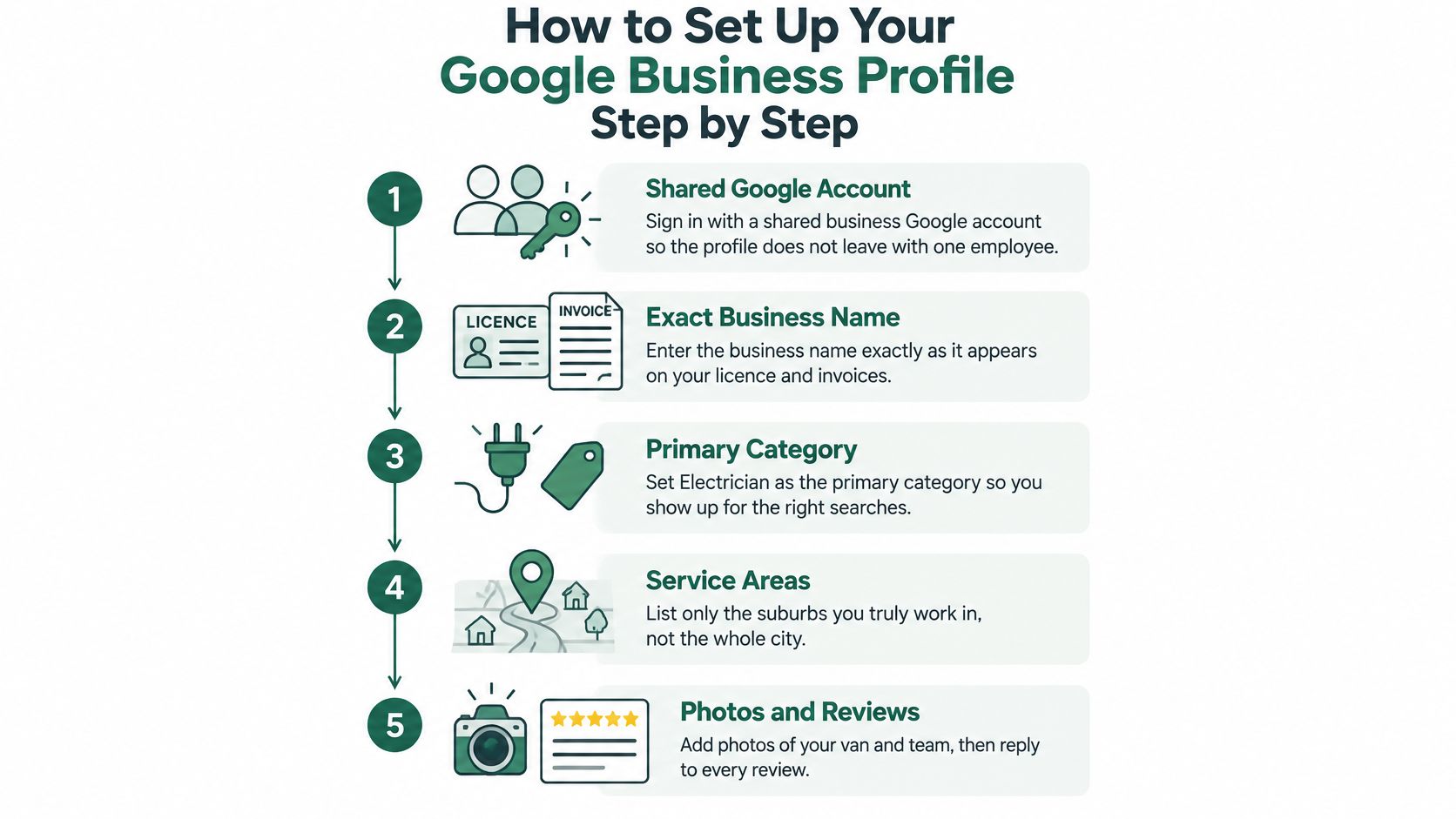
The eight setup steps
- Sign in with a shared business Google account. Use an address the business owns, not a personal Gmail that belongs to your apprentice or a former office helper. If that person leaves, the profile shouldn't leave with them.
- Enter the business name exactly as it appears on your licence and invoices. Adding "Best Emergency Electrician Brisbane" to the name field breaches Google's guidelines and can get the listing suspended.
- Choose Electrician as the primary category. Add secondary categories only for work you do, such as lighting or EV charging installation. Categories decide which searches you're eligible for, so guessing costs you.
- Set service areas by suburb or postcode you travel to. Listing the whole of South East Queensland when you only work north of the river dilutes your relevance and brings enquiries you'll knock back.
- Add opening hours, and be honest about after-hours work. Show emergency availability only if someone answers that line. A missed 9 pm call does more damage than never advertising it.
- Upload real photos. Your van, your team, a finished switchboard, a tidy install. Stock images of smiling models in hard hats fool nobody, and customers can tell.
- Add each core service with a plain one-sentence description. "Switchboard upgrades, including safety switches and circuit labelling" beats a paragraph of jargon. Write it the way you'd explain it at the door.
- Verify the listing by postcard or code. Nothing else counts until verification is done, and the postcard can take days, so start it early.
What a finished profile looks like
You're aiming for an accurate name, the right categories, honest service areas, correct hours, at least ten real photos and a recent post. Anything less and you're competing with one hand tied behind your back.
If your details are scattered across old directories with three different phone numbers, clean that up next. Boocoo's guide to business listing management explains how to find and correct the duplicates that confuse both customers and search systems.
Local Keywords That Bring Ready-to-Book Customers
Chasing the phrase "electrician Brisbane" is a poor use of a small budget. Jobs and Skills Australia reports approximately 197,300 employed electricians, annual employment growth of 3.8% and a national shortage rating, which tells you the trade is large, busy and well served by bigger operators with marketing budgets.
The better play is pairing a specific service with a place: switchboard upgrade Brisbane, smoke alarm electrician North Brisbane, EV charger installation Brisbane. Fewer people search those phrases, but the ones who do already know what they need.
| Search type | Example phrase | Competition | Typical enquiry |
|---|---|---|---|
| Broad service term | electrician Brisbane | Very high | Price shoppers, mixed fit |
| Service plus suburb | switchboard upgrade Brisbane | Lower | Ready to book |
| Emergency plus suburb | emergency electrician North Brisbane | Medium | Urgent, high value |
| Problem phrase | safety switch keeps tripping | Low | Early research, good for follow-up |
Read that table as a budget decision. Broad terms burn effort for tyre-kickers, service-plus-suburb terms bring people ready to book, and emergency terms bring the highest-value calls if you can answer. Problem phrases suit a short explainer article that keeps your name in front of someone who'll call in a fortnight.
Fewer, better-matched enquiries beat a busy inbox full of people asking your hourly rate and never booking.
Three free ways to find your phrases
- Read your last twenty enquiries and texts. Customers already write the words you should be using, including the suburb and the symptom.
- Type your service into Google and watch autocomplete. Add your suburb and see what it suggests. It's free and takes two minutes.
- Open Google Search Console once the site is live. It shows the actual queries your pages appear for, which is often different from what you assumed.
Start with five phrases matched to services you can deliver this month, then check which ones produced calls after 90 days. Before writing, a quick round of local SEO competitor analysis shows which suburbs are already saturated and where there's room. For where those phrases belong on the page, Month17's breakdown of keyword placement for SEO covers titles, headings and body copy without turning your writing into keyword soup.
Service and Suburb Pages That Turn Visitors Into Calls
One page per core job. Suburb pages only for areas you drive to. That's the whole rule, and it's the one most electrical websites break by cramming everything onto a single "Services" page.
Picture the counter at a hardware shop. Every product has its own labelled spot, and you find the right one in seconds without asking. Your website should work the same way: a visitor looking for a switchboard upgrade shouldn't have to read about ceiling fans first.
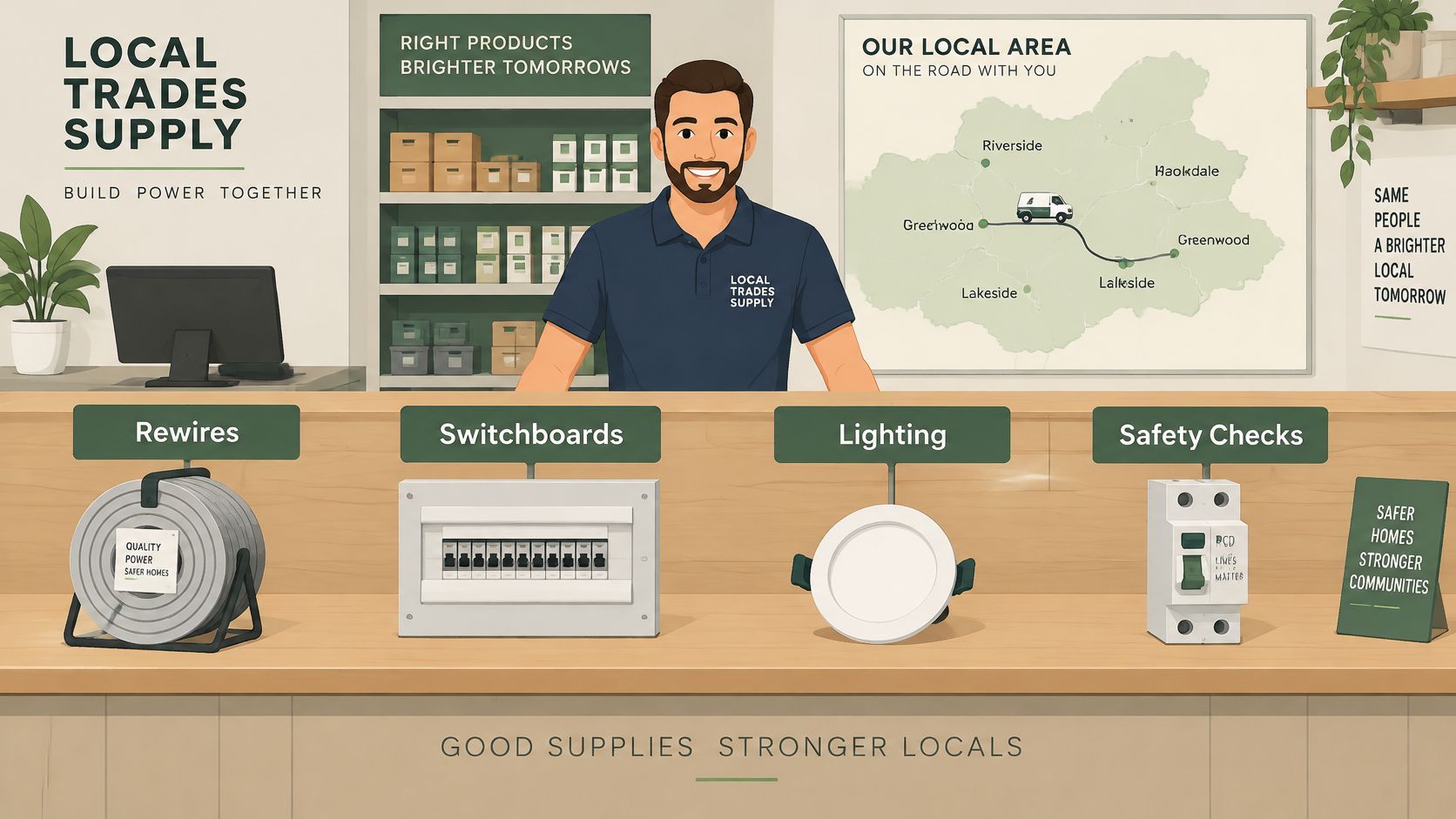
A page layout that earns the call
Build each page in this order, top to bottom:
- Headline naming the service and suburb. "Switchboard Upgrades in Chermside" tells the visitor they're in the right place immediately.
- A one-line promise about response. Say when you can realistically attend, not "fast, reliable service".
- A tap-to-call button near the top. On a phone, that button is the whole point of the page.
- A short list of what the job includes. Testing, labelling, certificate, clean-up. Plain words, no jargon.
- A photo of your own finished work. Taken on your phone is fine. Compress it before uploading so the page loads quickly on mobile data.
- Licence and insurance details as plain facts. Number, insurer, what you're covered for. No vague claims about being "fully compliant".
- Any call-out fee, stated clearly. Hiding it wastes your time and theirs.
- Three common questions with short answers. How long, how disruptive, what it costs to quote.
Copying one page and swapping the suburb name doesn't work. Search systems spot repeated thin pages, and customers in Ashgrove notice they're reading the same sentences as everyone else. Write something real about the housing stock, the common faults and the jobs you do there. Boocoo's notes on copy for websites are a good reference for writing that sounds like a person, not a brochure.
If you're deciding which suburbs deserve pages first, Keywordme's article on local market research for paid search is a handy way to think about demand by area before you spend weekends writing.
Finish with a two-minute test: load the page on your own phone using mobile data, tap the call button, and submit the enquiry form once. If the form doesn't reach your inbox, nothing else on the page matters.
Reviews That Build Trust Without Breaking Platform Rules
Most advice stops at "get more reviews", which is about as useful as telling you to get more work. The part that matters is how you ask, what you ask for, and how you reply when something goes wrong.
Reviews do double duty. A customer writing "they upgraded our switchboard in Wynnum and labelled every circuit" hands you the exact language other people search for, in a place search systems already trust.
Be careful with the numbers floating around this topic. One Australian electrician marketing article claims 73% of homeowners check online reviews and that businesses with 50-plus reviews receive three times more enquiries, but that piece from Starworks is a marketing source rather than a measured survey, so treat those figures as unverified rather than a target to plan around.
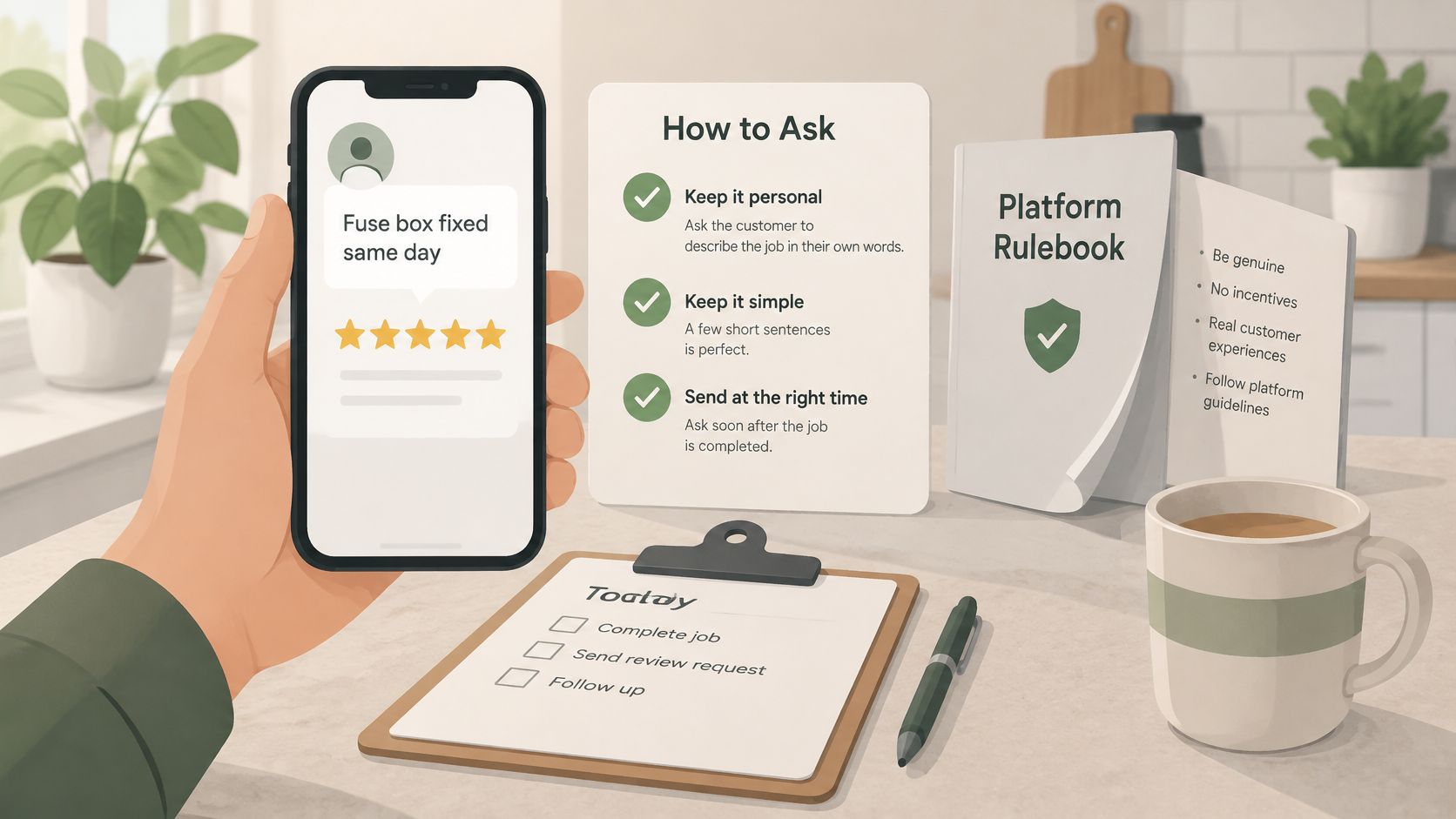
A four-step routine you can run after every job
- Send a short text or email 24 hours after the job, with a direct link to your review form. Not a link to your profile page where they have to hunt for the button.
- Ask them to describe the work in their own words. "If you've got a minute, mention what we did and where" produces useful, natural detail. Don't script it.
- Never offer discounts, gifts or free work for a review, and don't only ask the happy customers. Incentives and selective asking both breach platform rules and can cost you the whole listing.
- Reply to every review within 48 hours. Thank the good ones and name the service. For a negative one, stay calm, apologise for the experience, offer to talk offline, and never publish the customer's address, fault details or job specifics.
Watch out: answering a bad review with job details to prove your point exposes private customer information and reads badly to every future customer who scrolls past.
Measure it clearly. Tag each enquiry by service and suburb in a spreadsheet or your job app, and ask every new caller how they found you. After a couple of months you'll see whether reviews are producing calls or just stars. Boocoo's guide to user generated content strategy covers how to reuse that customer language elsewhere on your site with permission.
This week's action: write the follow-up message once, save it as a phone shortcut, and send it after your next completed job.
A Monthly Routine and Your First Three Actions
Upkeep takes about one hour a month if it's scheduled and written down. Left unscheduled, it becomes a guilt-inducing tab you never open, and the profile slowly drifts out of date.
Put these six tasks in your calendar as recurring events, not as a mental note.
| Task | How often | Rough time |
|---|---|---|
| Publish a Google post (a finished job, a seasonal reminder) | Fortnightly | 10 minutes |
| Reply to new reviews | Within 48 hours | 5 minutes each |
| Check listing accuracy (hours, phone, service areas, holidays) | Monthly | 10 minutes |
| Review where enquiries came from, by service and suburb | Monthly | 15 minutes |
| Refresh one service page with new photos or questions | Quarterly | 30 minutes |
| Check logins, admin access and backups | Quarterly | 20 minutes |
For the enquiry review, you don't need expensive software. A simple log of call, text or form, plus the suburb and job type, tells you more than a dashboard of impressions. If you later want to see which phrases are moving, Boocoo's comparison of rank tracking software is a sensible place to start rather than buying whatever an ad shows you.
Protect the accounts that already bring in work
Security belongs in the marketing plan, not in a separate IT bucket. The ABS business characteristics data for 2024–25 shows 18.3% of Australian businesses with 0–4 employees and 24.0% of businesses with 5–19 employees reported at least one cyber-security incident, and among businesses with 5–19 employees, 16.3% reported scams or fraud.
A hijacked website or listing doesn't just cost you a weekend. It costs you every enquiry that would have arrived while it was broken, and it can expose customers who sent you their address and phone number.
Five things to do, none of which need a budget:
- Write down who controls what. Domain, hosting, Google Business Profile, analytics and social accounts, with the login email for each. One page, kept somewhere safe.
- Remove former contractors and ex-staff from admin access. Old web developers with owner rights are a common weak spot.
- Keep recovery emails and phone numbers current, so a password reset reaches you.
- Turn on multi-factor authentication on your business email and Google account first. Those two open the door to everything else.
- Watch for fake listings and impersonation emails, especially messages claiming to be your web provider asking for payment or access. Check by ringing the number you already have.
Your first three actions, with dates on them
- This week: fix your Google Business Profile details and add six real job photos. Two to three hours, no cost.
- This month: build one service and suburb page with a tap-to-call button and your licence statement, and start the review follow-up after every completed job.
- Next quarter: refresh that page, check your logins and backups, and look at which suburbs produced booked work.
If you'd rather hand the technical side over, Boocoo is a Brisbane digital agency whose SEO work covers technical audits, on-page content and link building aimed at ranking in your local market, with local SEO that includes Google Business Profile optimisation and local citations. That's the part most sparkies don't have spare weekends for.