
A lot of Brisbane owners know the feeling. The phone is quiet, the inbox is patchy, and the website still looks fine enough to keep ignoring, even though it isn't doing much except sitting there. That's the problem with website design Brisbane small business projects that start from aesthetics instead of enquiries, they end up as brochures when they should be lead-routing tools.
The hard truth is simple. A local site should help the right person find the right service, see the right suburb coverage, and make contact fast. The Australian Government's small-business guidance says people are usually looking first for services, contact details, opening hours, and location, and that a site should be easy to use and mobile-friendly because local customers check businesses on their phone before calling or booking (Australian Government small-business website guidance).
Brisbane is full of small operators competing on speed, trust, and convenience. Treasury found 62% of SMEs had a website, 7% more intended to get one within 12 months, and 72% of SMEs with websites said the site improved business effectiveness. The broader business picture is just as clear, the Australian Small Business and Family Enterprise Ombudsman reported 97.3% of all Australian businesses were small businesses in June 2025, or 2,656,469 firms under the 0 to 19 employee definition (Treasury small business analysis). That means many rivals still don't have the basics right.
A better site doesn't try to say everything. It puts a tap-to-call number in the open, gives each core service its own page, names the suburbs the business serves, and removes anything that slows a person from clicking, calling, or submitting a short form. That's the standard now, because a local website isn't decoration. It's the front counter.
Why Most Brisbane Small Business Websites Miss the Point
A tradie gets a few referrals, checks the site, and realises the phone number is hidden in the footer. A café owner sees decent Instagram engagement, but the site still makes people hunt for opening hours and bookings. That's the common failure, the website looks like a brand piece, but it behaves like a dead end.
The better frame is blunt. A website should route leads, not admire the business. If a visitor has to scroll, squint, and hunt for a contact button, the site is making them work too hard, and local buyers rarely reward that effort.
What usually goes wrong
Most weak local sites share the same mistakes. The phone number is buried. The wording says “greater Brisbane” even when the business really serves a tighter patch. The homepage tries to describe every service, every value, and every award before it says what to do next.
Practical rule: if a visitor can't tell what the business does, where it works, and how to contact it within a few seconds, the page is too clever for its own good.
The contact page often makes things worse. Long forms, too many fields, no real call-to-action, and no tap-to-call link on mobile all add friction. Brisbane-focused guidance is clear that local customers often just call the business that makes it easiest to do so, which is why hidden contact details cost enquiries (Brisbane small-business website guidance).
The fix isn't complicated. Give each core service its own page. Put a tap-to-call number above the fold. Write suburb-level service wording instead of broad fluff. Keep the enquiry form short enough that a person can submit it in a minute, not a lunch break. That structure matches what people want from a local business site, fast confirmation and a clear next step.
A prettier homepage won't save a confusing offer. A clearer offer usually saves the homepage.
For Brisbane owners, that means one decision matters more than any visual trend. Should the site help someone act, or should it just look tidy? The answer should be obvious, and the layout should show it. A useful reference point for the technical thinking behind that approach is how to build a small business website.
Define Your Goals, Audience, and Service Area First
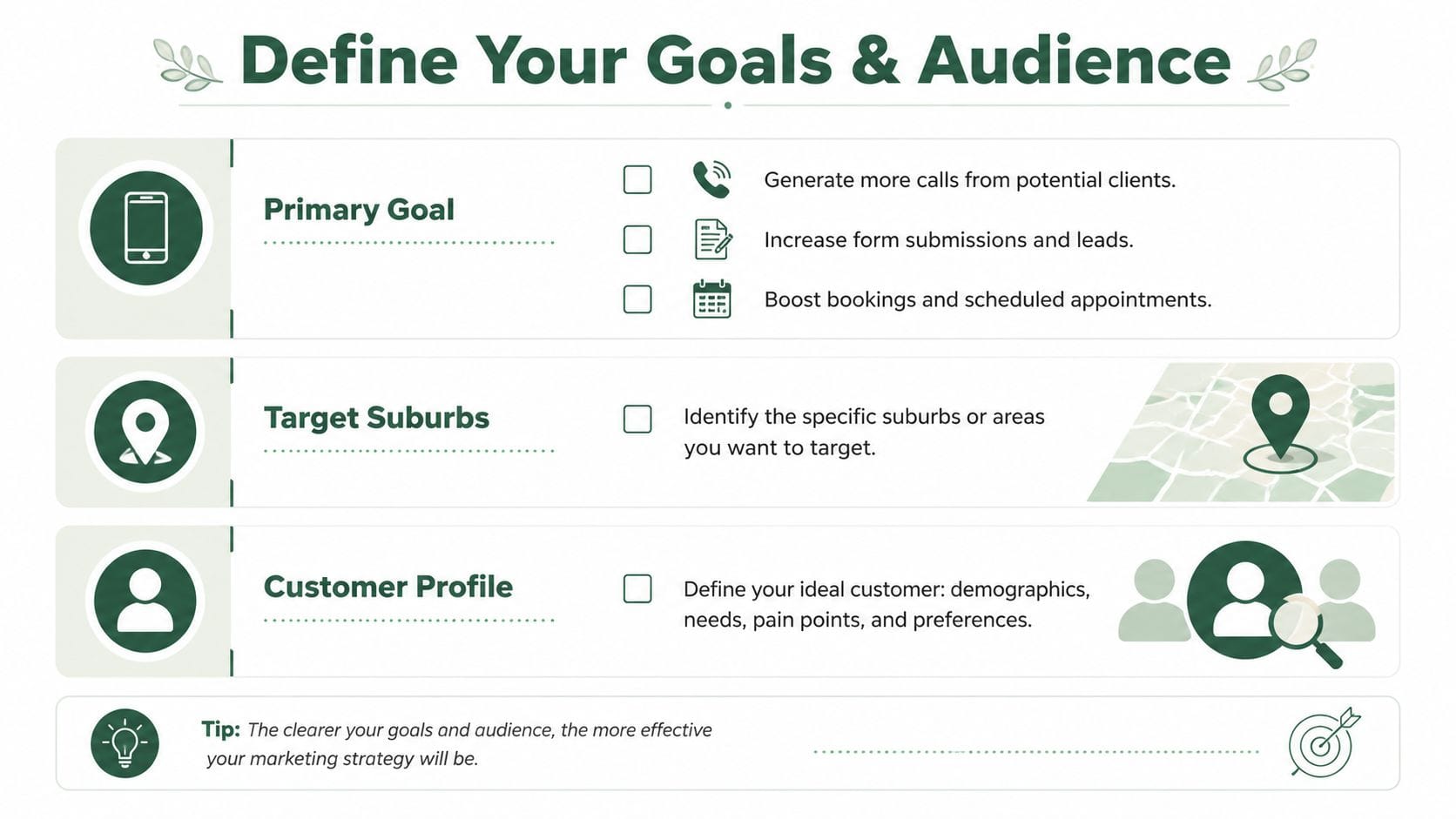
A website gets messy when the owner starts with colours, fonts, or a homepage draft. The smarter starting point is the outcome. A visitor should call, submit a form, or book, and every page should help that happen without making the person think too hard.
Decide the primary action first
Choose one primary action for the site. A plumbing business might want calls. An accountant might want form enquiries. A café might want bookings or reservations. Pick the main action and make everything else secondary.
Then write a one-sentence customer profile. Not a marketing essay, just a plain sentence like, “Busy homeowners in the inner north who want same-day emergency help,” or “Small business owners in Brisbane who need reliable BAS support without office visits.” That sentence keeps the copy honest.
Simple test: if the customer profile sounds vague, the website copy will be vague too.
Suburb coverage matters just as much. List the areas the business serves in plain text, not in a buried footer or on an overworked map graphic. If the business only goes to selected Brisbane suburbs, say so clearly. That's stronger than pretending to cover all of South East Queensland.
Use a quick working example
A Brisbane mobile mechanic might set the site up around one action, call now. The headline can name the service and the area, the service pages can cover logbook servicing, diagnostics, and roadside help, and the service area can list the suburbs that are covered.
An inner-west accountant needs a different approach. The main action might be a form enquiry, with pages for tax returns, BAS, and bookkeeping. The audience statement should speak to small business owners who want clean records and less admin, not a generic “clients of all sizes” line.
If that kind of customer clarity feels uncomfortable, that's usually a sign the business hasn't narrowed its offer enough.
A clean brief can be drafted in under an hour using this basic checklist:
- Primary action: call, form, booking, or purchase.
- Core services: the top three offers only.
- Service area: the exact suburbs or districts served.
- Customer profile: one sentence, written in plain English.
- Proof points: a few real jobs, reviews, or outcomes.
For a deeper look at audience framing, what is a user persona is a useful companion read.
Choosing the Right CMS for a Brisbane Small Business
The platform choice gets overhyped. Most Brisbane service businesses do not need a fancy custom build. They need something that's easy to update, stable, and not a headache six months after launch.
Compare the options without the sales pitch
| Platform | Typical cost band | Control & flexibility | Maintenance burden | Best fit |
|---|---|---|---|---|
| WordPress | Varies by build scope | High | Medium to high, depending on hosting and updates | Service businesses that want room to grow |
| Squarespace | Subscription-based with template limits | Moderate | Low | Owners who want simplicity and fewer moving parts |
| Wix | Subscription-based | Moderate | Low | Very small sites with basic needs |
| Shopify | Higher setup for ecommerce | Strong for product selling | Moderate | Product businesses and online stores |
| Custom build | Highest | Very high | Can be high if poorly scoped | Complex requirements that justify it |
For most Brisbane service businesses, WordPress with managed hosting or Squarespace is the sensible default. WordPress gives more room to expand pages, SEO, and content later. Squarespace reduces upkeep and suits owners who want fewer technical decisions.
Shopify earns its keep when the business sells products online, because that's what it's built for. A product business that expects catalogue management, payments, and shipping to matter should not force a service-first platform to do store work it wasn't designed for. A practical services overview is available in services for web development.
Pick for the next three years, not the next three weeks
That's the decision. Who will update the site later? Who will change the hours, swap a banner, publish a new service page, or fix a broken link? If the answer is “nobody,” the fanciest platform in the world won't help.
A managed WordPress setup suits businesses that want more control and are willing to keep it tidy. Squarespace suits owners who want fewer maintenance decisions. Wix can be fine for a tiny, simple presence, but it's rarely the platform that a growing Brisbane service business ends up loving. Custom builds should be reserved for genuine complexity, not ego.
The right CMS is the one the business can still manage when the original builder is unavailable.
That's why the platform choice should follow the business stage. A startup with a tiny offer set needs speed and clarity. A growing service business needs flexibility. A product seller needs ecommerce first. Anything else is just platform theatre.
Design and UX Rules That Actually Convert Locals
Brisbane customers do not want a website that wins design awards. They want a site that tells them what's offered, where it's offered, and how fast they can get through to someone. Keep that front and centre, or the design is doing the wrong job.
Use layout to remove friction
Name the suburbs served in the headline if they're served. Put a tap-to-call button where a thumb can reach it without scrolling. Keep the enquiry form to three fields if possible, name, email or phone, and message. That's enough for most local jobs.
Write each service page around one offer. A page for roof repairs should stay about roof repairs. A page for tax returns should stay about tax returns. When a page tries to cover too many jobs, visitors don't know which one fits them, and conversion drops because the next step is unclear.
For video-heavy landing pages, a helpful reference is a guide for adding video to landing. The useful part isn't the trend, it's the reminder that media should support the decision, not slow it down.
A northside plumber example
A weak version usually has a broad headline, a stock photo hero, a long story about the company, and a contact button somewhere below the fold. It looks polished and feels slow.
A stronger version has this structure:
- Headline: service plus area, such as emergency plumbing for Brisbane northside suburbs.
- Top bar: tap-to-call number and enquiry button.
- Service blocks: blocked drains, hot water, burst pipes, each with one sentence and a clear button.
- Trust layer: reviews, licensing, and a short proof statement.
- Contact area: short form, map, and hours.
That layout gives a user fewer places to get lost. It also makes the site easier to scan on a phone, which matters because local buyers often compare options in the moment, not later at a desk.
For conversion-specific design thinking, conversion rate optimisation in Australia is worth a look because it focuses on reducing friction instead of chasing visual novelty.
Checklist before sign-off: if the mockup hides the phone number, buries the suburbs, or adds more than a few form fields, it's not ready.
Stock photography doesn't win trust on its own. Clear wording does. A short, well-placed form does. A site that loads and responds properly on mobile data does. That's the standard a Brisbane service business should hold every design to.
Local SEO and the Technical Baseline That Protects Your Enquiries
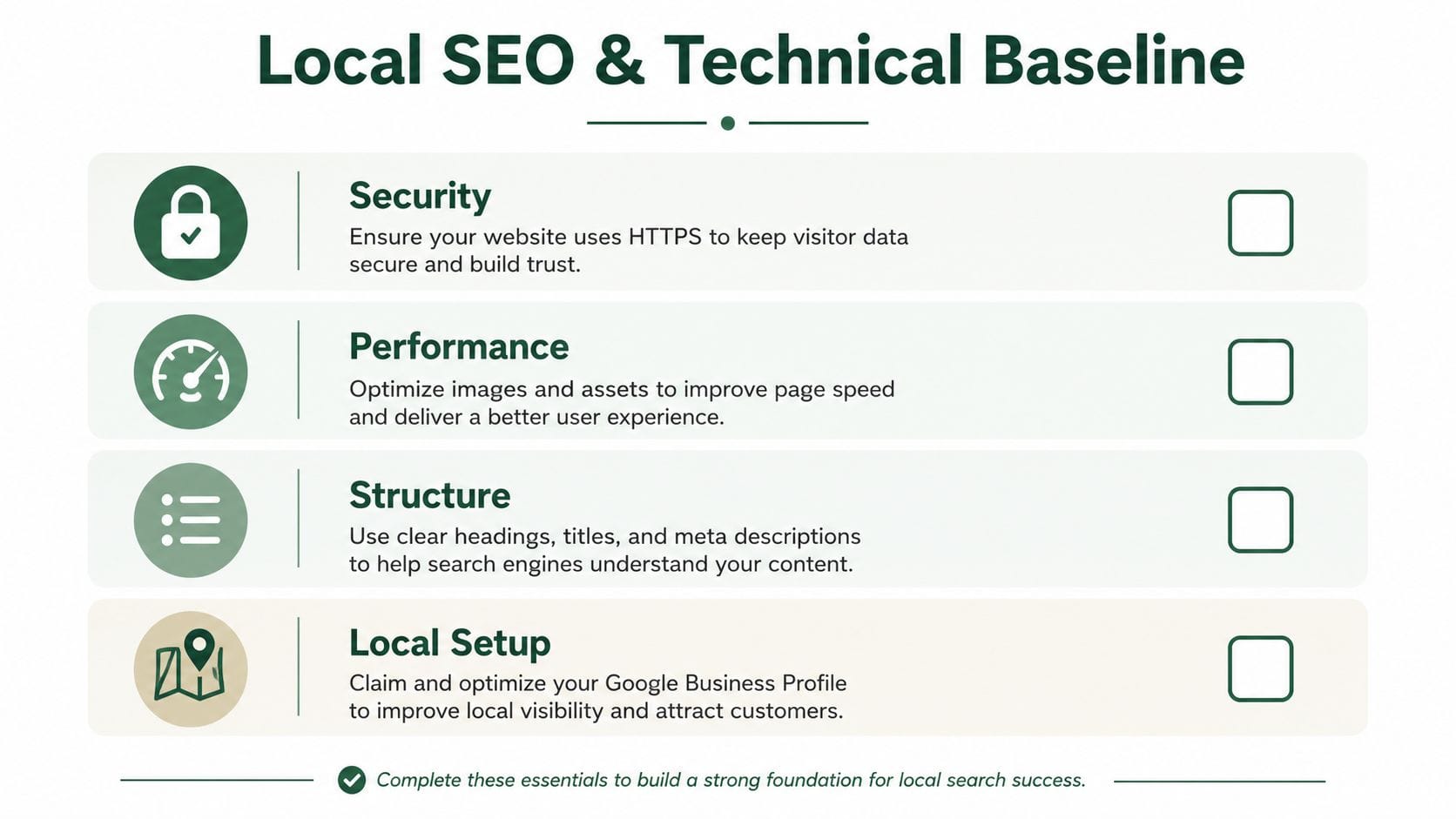
A Brisbane small business site should route enquiries, not just look tidy. If the technical setup is weak, you lose calls, forms, and bookings before the customer even reaches your offer.
Lock down the basics first
Use HTTPS everywhere on the site. Compress images so pages load properly on mobile data. Keep the heading structure clean, with one clear page title and logical subheadings. Make sure the Google Business Profile name, category, hours, and phone number match the site so customers do not get mixed signals.
If you want a Brisbane-specific checklist, read Brisbane local SEO basics before you publish anything. Australian small-business guidance also recommends crawlable page structure, analytics, Search Console, and ongoing mobile and form testing after launch, as set out in Boocoo small-business website build guidance. That matters because technical faults usually show up as lost enquiries, not obvious warnings.
Practical rule: if a form breaks on mobile or the site drags on phone data, the business is paying for traffic it cannot convert.
Consistency matters just as much. If the website says one thing and the business profile says another, trust drops. If opening hours are wrong, people move on. If a page title does not mention the service and suburb, local search relevance weakens and the user gets less certainty.
Use technical SEO as enquiry protection
Many owners get the order wrong. They treat technical SEO as a ranking chase, when it is really about protecting the enquiries the site already deserves. A clean site structure helps search engines understand the pages, and it helps a person scan and decide without friction.
Fix image weight before launch. Check analytics and Search Console from day one. Test every form on mobile. Keep updates under control so the site does not become fragile after handover. One Australian guide recommends fixing plugin and platform updates within 48 hours and doing monthly site-health checks to reduce exposure to errors and security issues, and that advice should be part of the launch plan.
For a plain-English take on how video can fit into a service page or homepage, what is video marketing is useful context. The point is not to add video everywhere. Use it only where it helps a customer understand the offer faster.
Brisbane businesses should treat this baseline as required. No HTTPS, no excuse. No analytics, no guessing. No aligned local details, no trust.
Content, Budgets, and Realistic Timelines
The content question is always the same. What needs to go on the site, what will it cost, and how long will it take before it can go live without becoming a half-finished mess?
Build the site around the pages that matter
A small service business usually needs the same core pages. One homepage. One page per service. A real About page that explains who runs the business and why customers should care. A Contact page with the phone number visible and the form kept short. Add a FAQ block if customers keep asking the same things.
A Brisbane café might need menus, booking details, trading hours, and location cues that are impossible to miss. A small accounting firm needs service pages for tax, BAS, and bookkeeping, plus clear trust signals and a direct contact path. In both cases, the site should answer practical questions before it tries to sound clever.
Budget should follow scope, not wishful thinking
The market data gives a useful frame. IBISWorld estimated the Australian Web Design Services industry at $1.5 billion in 2026, with 3,581 businesses operating in the sector and a 3.6% CAGR in business count from 2021 to 2026 (IBISWorld web design services). That points to a mature market where professional delivery has a real floor.
A 2026 pricing guide places small business sites at $5,000–$10,000 and broader professional projects at $5,000–$25,000+. Another Brisbane-focused source says average professional website design cost in Australia ranges from $3,000 to $7,000 depending on complexity (Brisbane pricing guide). The practical takeaway is that a serious site isn't a throwaway spend, and cheap often means the owner ends up doing the missing work later.
Timelines depend on who is writing the content
A DIY build usually takes longer in real life because content stalls. Part-time DIY often stretches across a few weeks because the owner is fitting it around customers, quotes, and admin. An agency build usually runs longer on calendar time but moves more cleanly because the work is structured and the handover is clearer.
A useful expectation is this, a simple site can move quickly if the content is ready, while a broader build with multiple service pages, revisions, and integrations needs more runway. The biggest delay is rarely design. It's missing copy, missing photos, and indecision about scope.
Budget rule: define what belongs in version one, and push everything else into version two.
That keeps the launch realistic. It also stops the owner from turning a simple site into a never-ending project. The launch should happen when the site can do the job, not when every nice-to-have has been added.
Hiring the Right Help and Maintaining the Site After Launch
The best hiring decision isn't the flashiest one. It's the one that matches the business stage, the owner's time, and the amount of ongoing control required. A DIY build can work for a tiny offer set. A freelancer suits a clearer brief. A generalist agency suits businesses that need more coordination. A local partner like Boocoo suits owners who want someone to handle the marketing work without turning every decision into a committee meeting.
Ask the same questions in every proposal meeting
A decent proposal should answer a few basic things without fuss:
- Case studies: what kind of Brisbane or local work has been done before.
- Copywriting: who writes the words, and who approves them.
- Updates: who handles changes after launch.
- Handover: what training or documentation comes with the site.
- Ongoing costs: what's included, what's not, and how support is billed.
If a provider can't explain those points clearly, the project usually gets messy later.
Keep the site alive after launch
Websites decay over time. Staff change. Opening hours shift. Services evolve. Links break. The owner who ignores maintenance ends up with a site that looks current but behaves like an old brochure.
A sensible rhythm is straightforward. Do a monthly site-health check. Apply plugin or platform updates within 48 hours. Refresh key content quarterly. Review the design yearly so the site doesn't drift away from the business.
The maintenance piece matters because it protects the money already spent on design and SEO. A slow or broken site loses trust fast, especially on mobile. A site that keeps up with changes keeps doing its job.
Boocoo is one local option for owners who want a Brisbane-based team to handle website and digital marketing work without heavy pressure, and enquiries can go to hello@boocoo.au or 1300 093 797 if that suits the business stage.